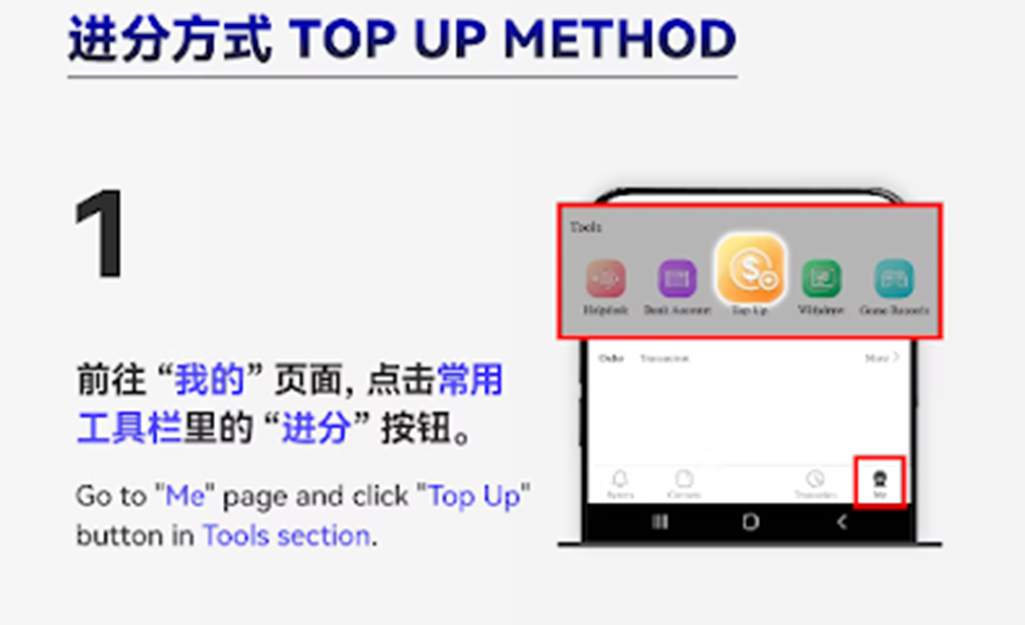
Tap the "Top Up" button in the interface and choose the top-up category to begin.
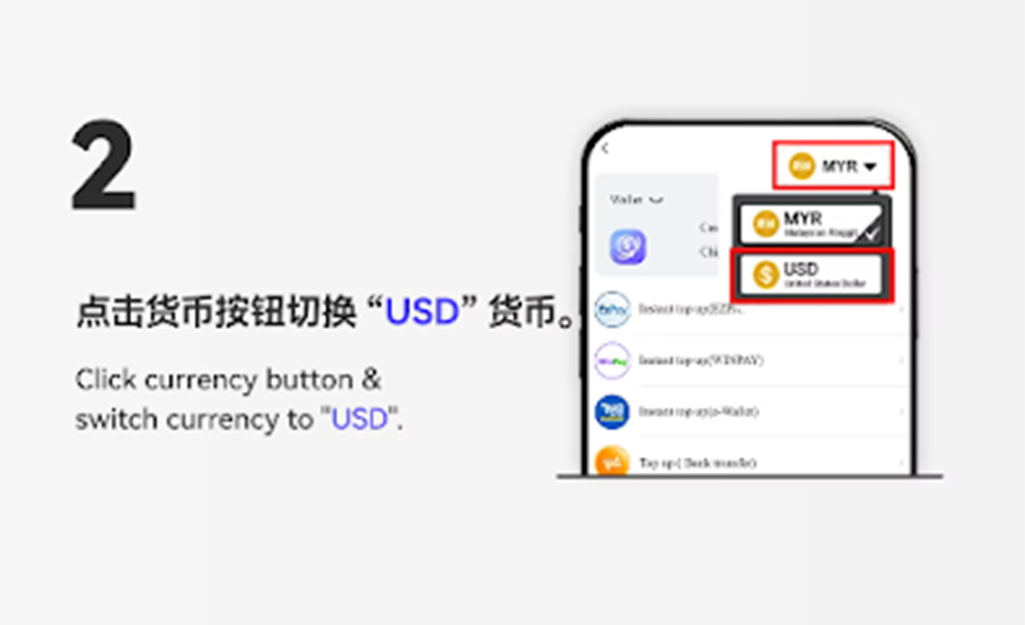
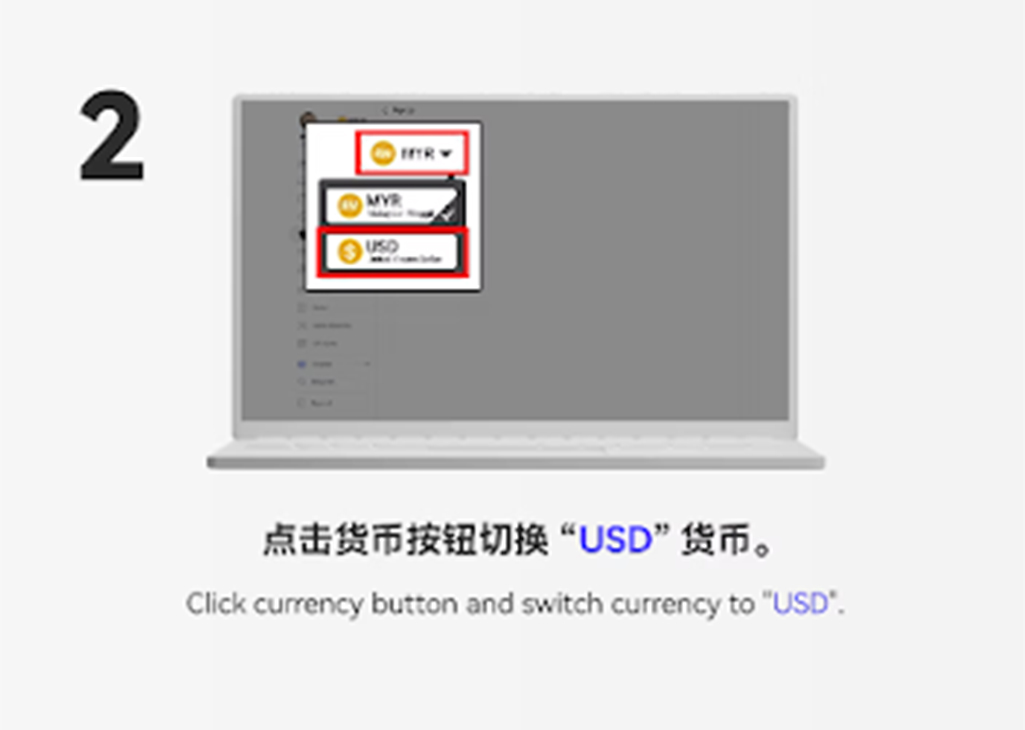
Click the currency option and switch it to "USDT" to proceed with the crypto deposit.
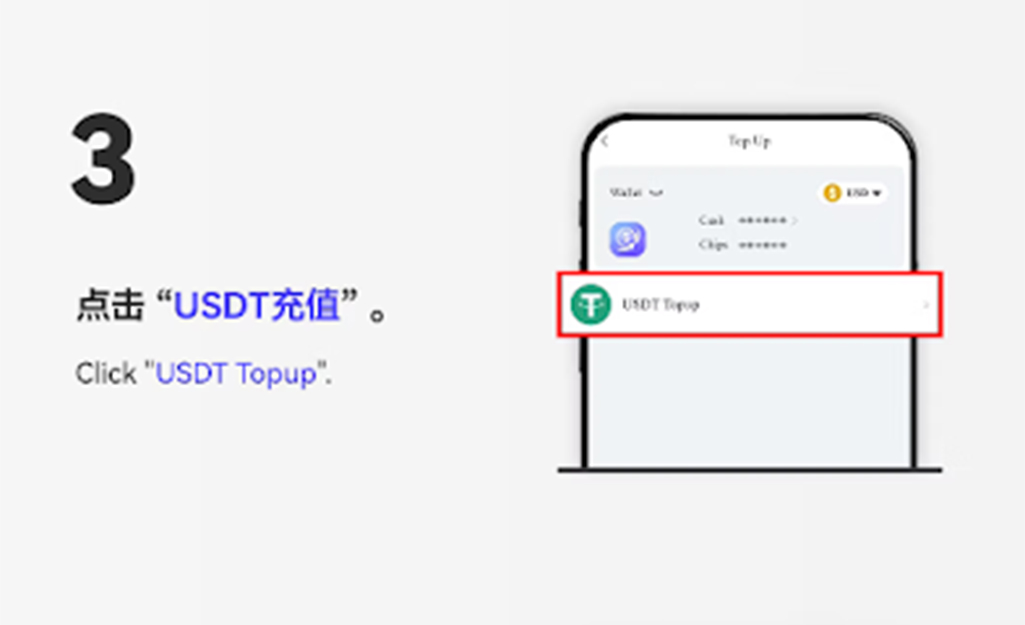
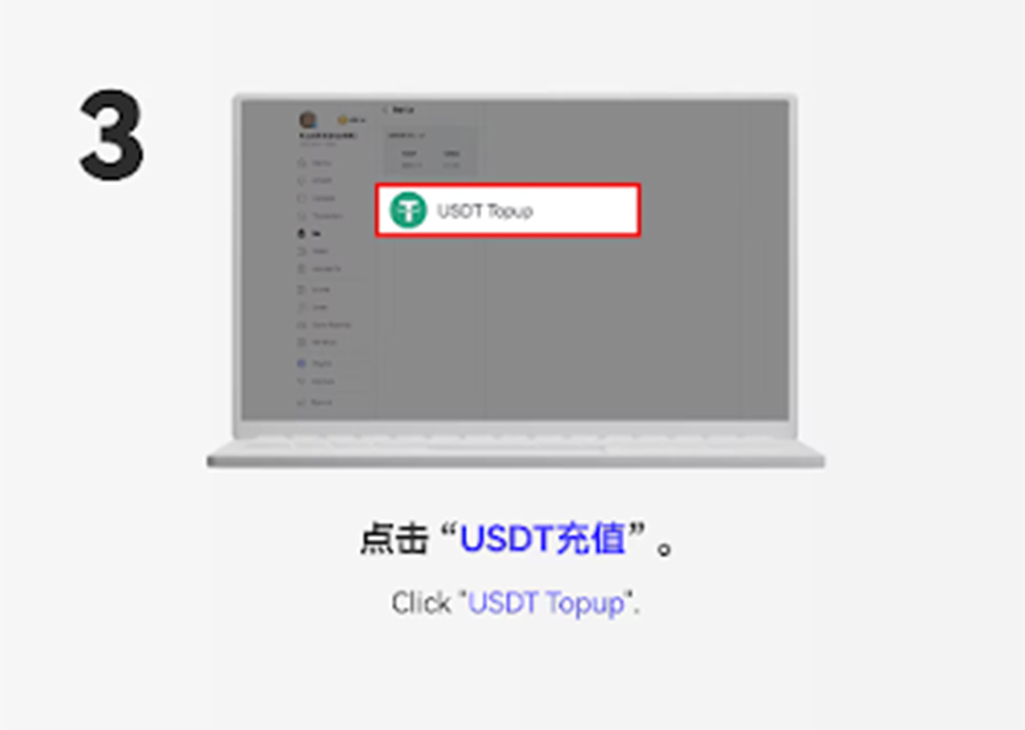
Select the "USDT Recycle" option to start your USDT top-up process.
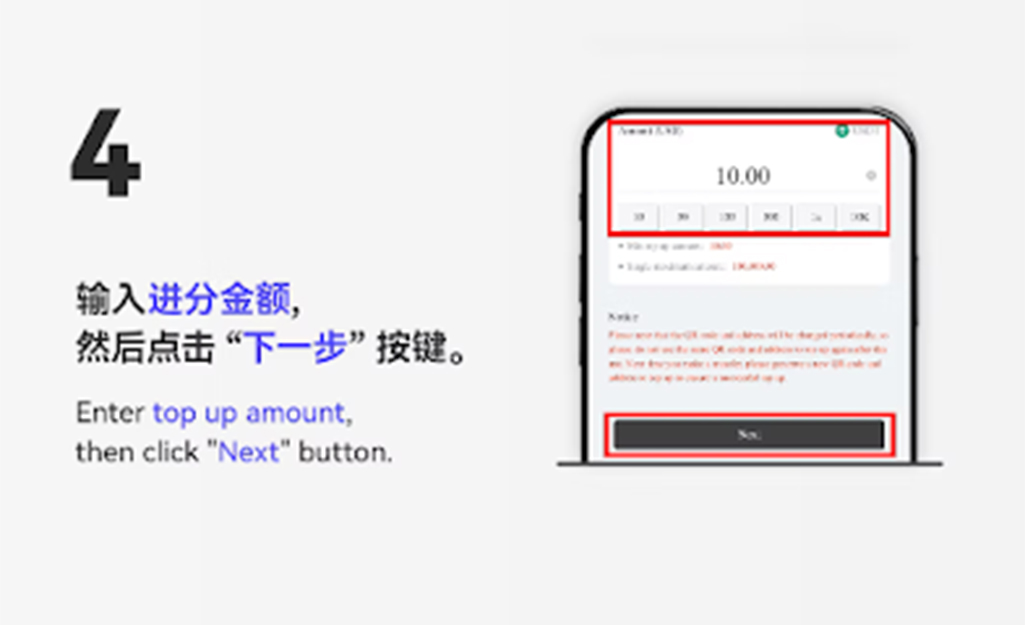
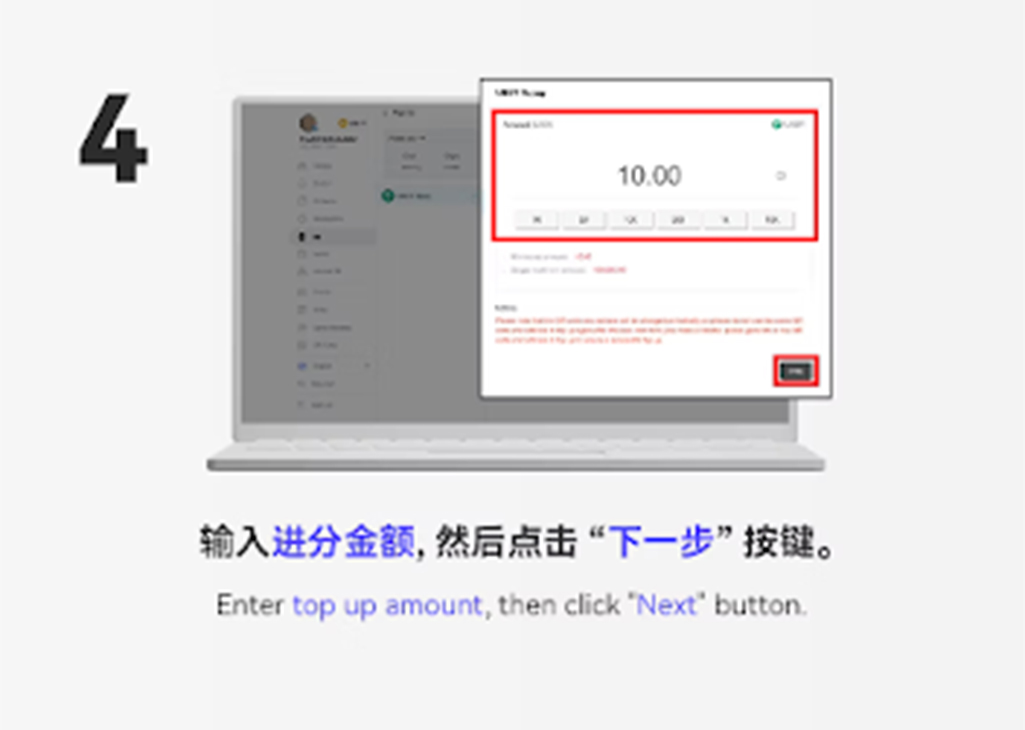
Key in the amount you want to deposit, then click the "Next" button.
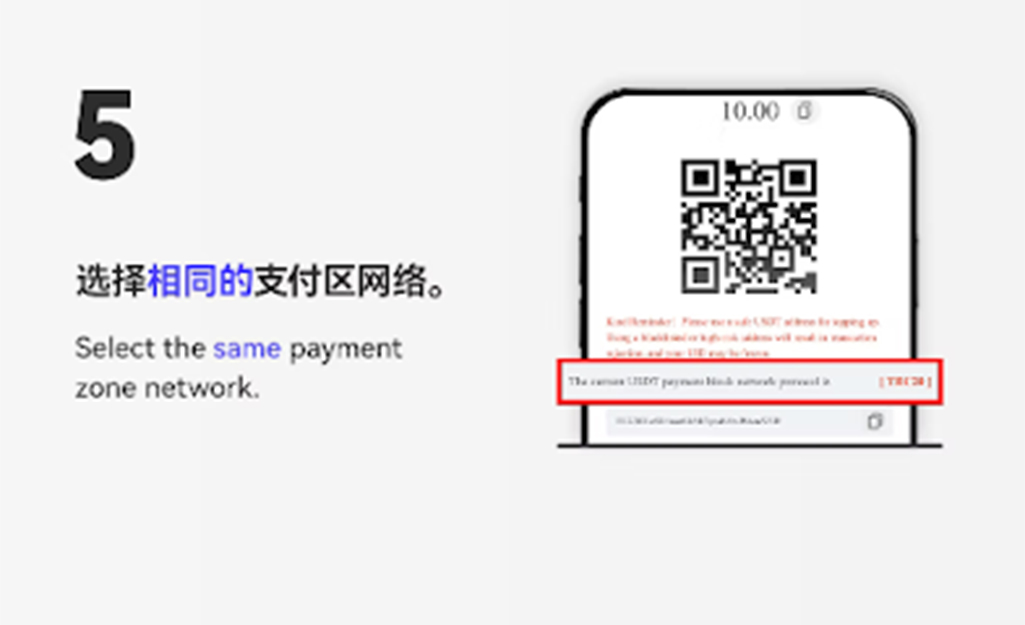
Choose the correct blockchain network based on the USDT network supported by your wallet or exchange.
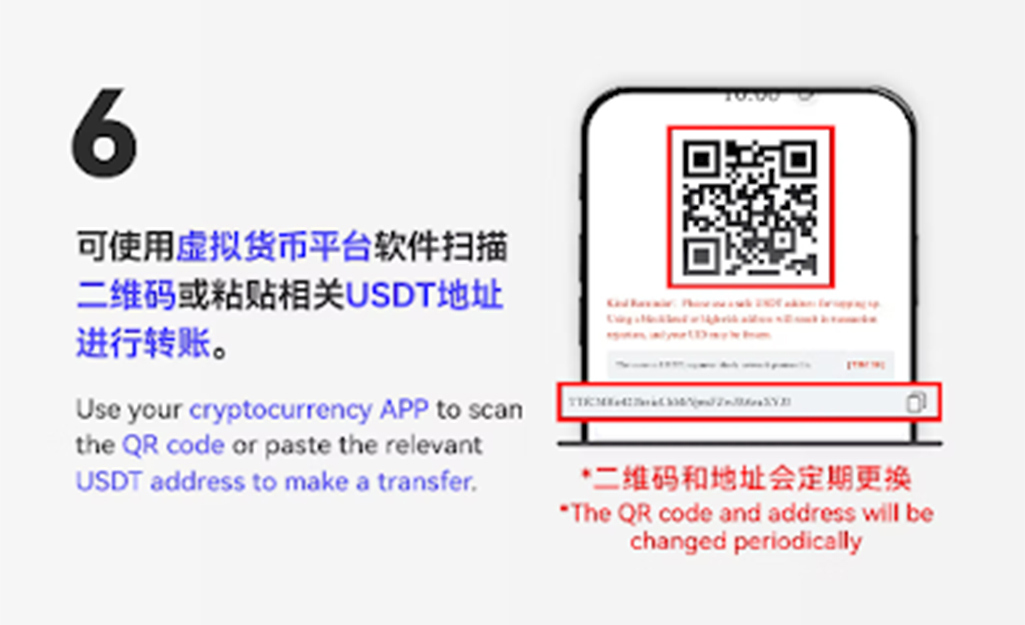
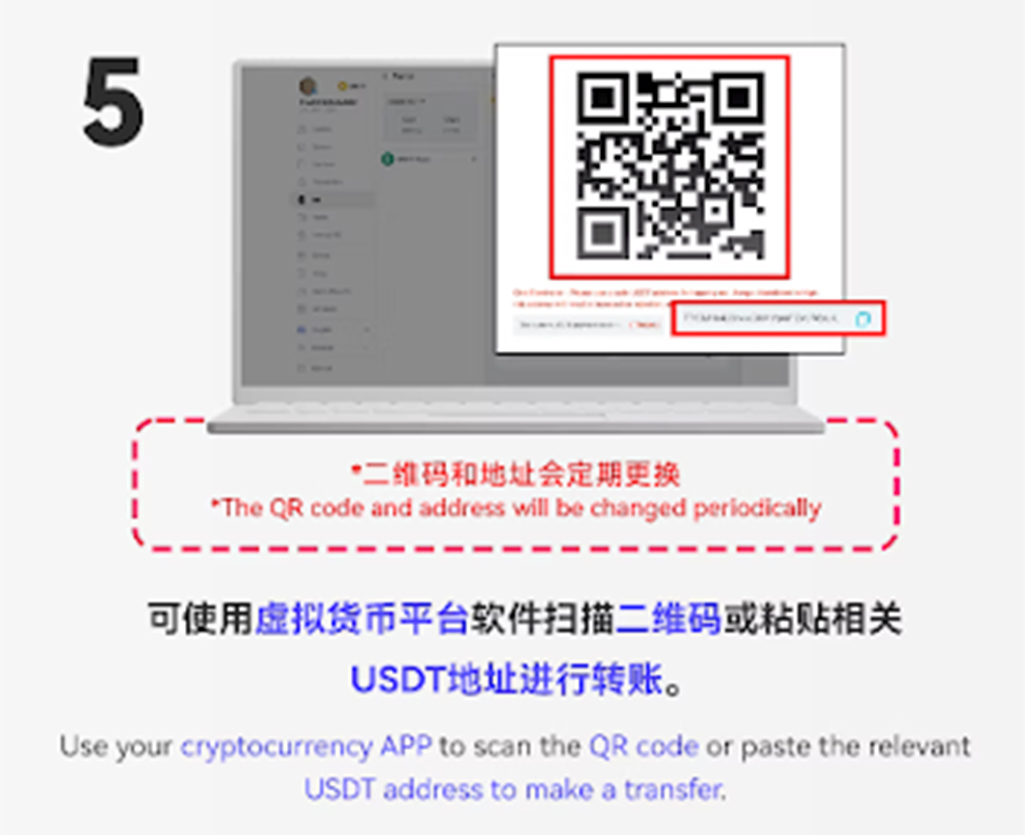
Copy the designated USDT wallet address or scan the QR code to perform the transfer from your crypto wallet or exchange app.
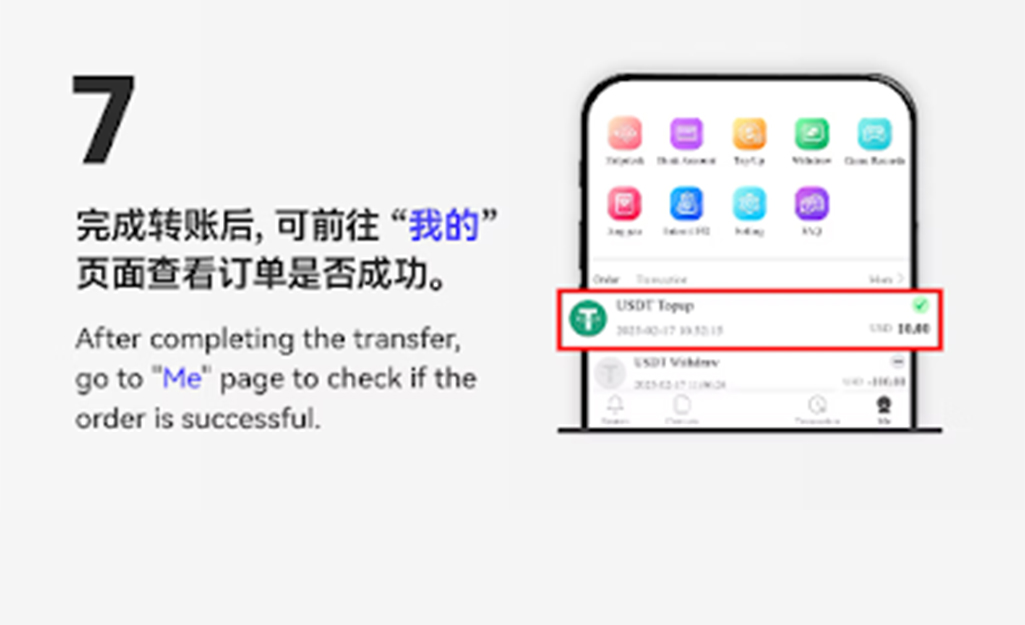
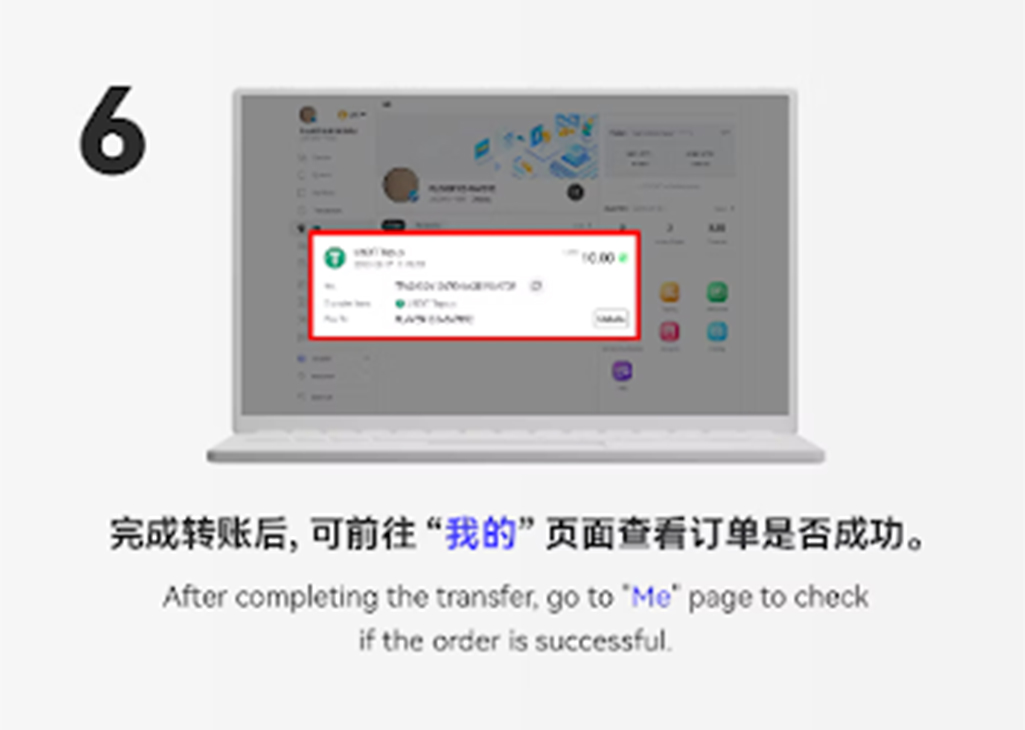
After the transfer is complete, return to the page, select "Top Up" again, and check whether the top-up has been successfully credited.
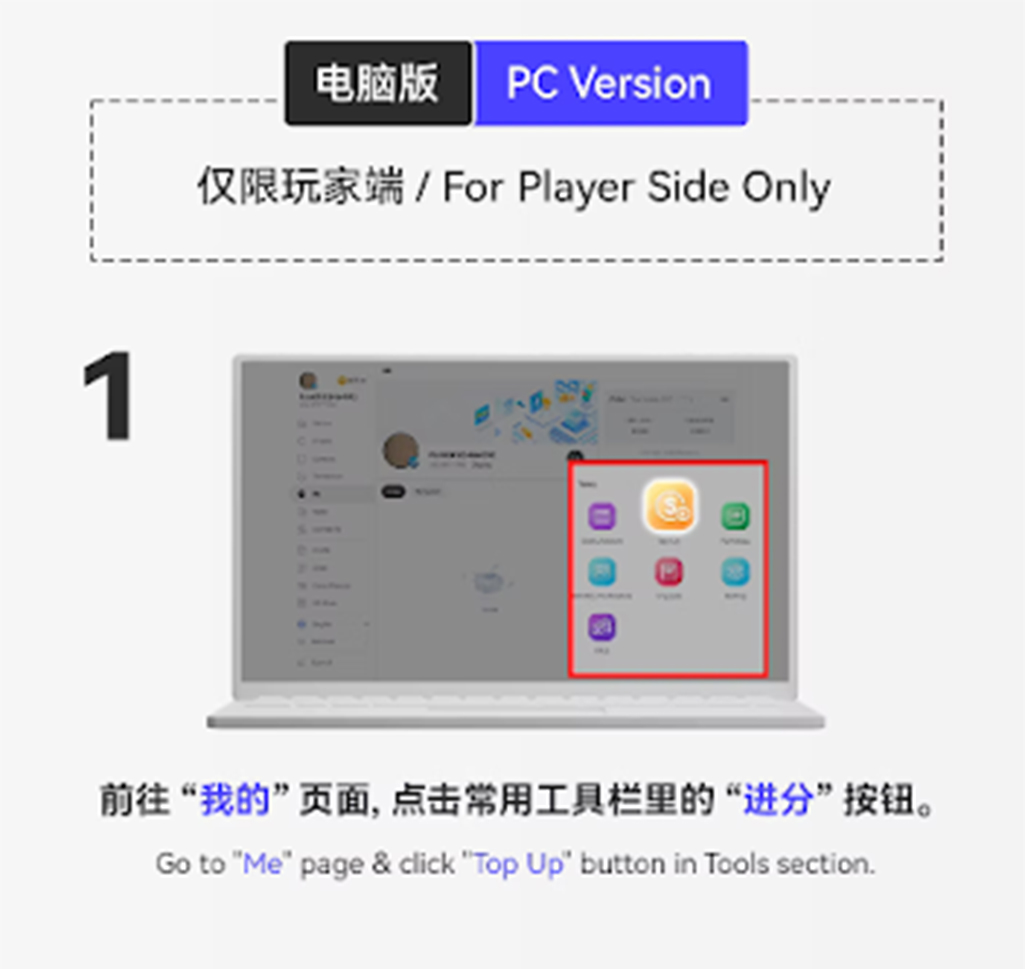
On the platform, click the "Top Up" section to enter the deposit menu.
Choose "USDT" under currency options to switch the deposit method.
Select the "USDT Recycle" option to initiate the USDT deposit process.
Input your desired USDT amount and click "Next" to continue.
Use your crypto wallet or exchange to scan the QR code or copy the USDT wallet address to complete the transfer.
After completing the transfer, return to the top-up interface and check whether the transaction has been confirmed successfully.
Select the matching blockchain network (such as TRC20 or ERC20) according to your wallet to avoid transfer errors.
USDT transfers may take several minutes depending on blockchain congestion. users are advised to wait for confirmation patiently.
Always verify the USDT address before sending. Incorrect addresses cannot be recovered.
USDT top up allows users to deposit instantly from anywhere in the world without banking restrictions.
USDT’s price stability offers a reliable deposit option for users who prefer predictable transaction value.
Both mobile and PC versions support QR code scanning, making USDT transfer fast and error-free.
Follow this simple guide to complete your USDT top up quickly and securely. Enjoy seamless transactions and instant crediting anytime.

As a leading international online gaming company, STAR8 proudly features world-class game information experts, a helpful and experienced customer service team, and a professional marketing and state-of-the-art technical team. This collaborative effort ensures that our customers, with STAR8 at the forefront, can indulge in the ultimate gaming experience within a safe and secure environment. We prioritize the satisfaction and safety of our players through the combined expertise of our dedicated teams






 CN
CN
 EN
EN BM
BM