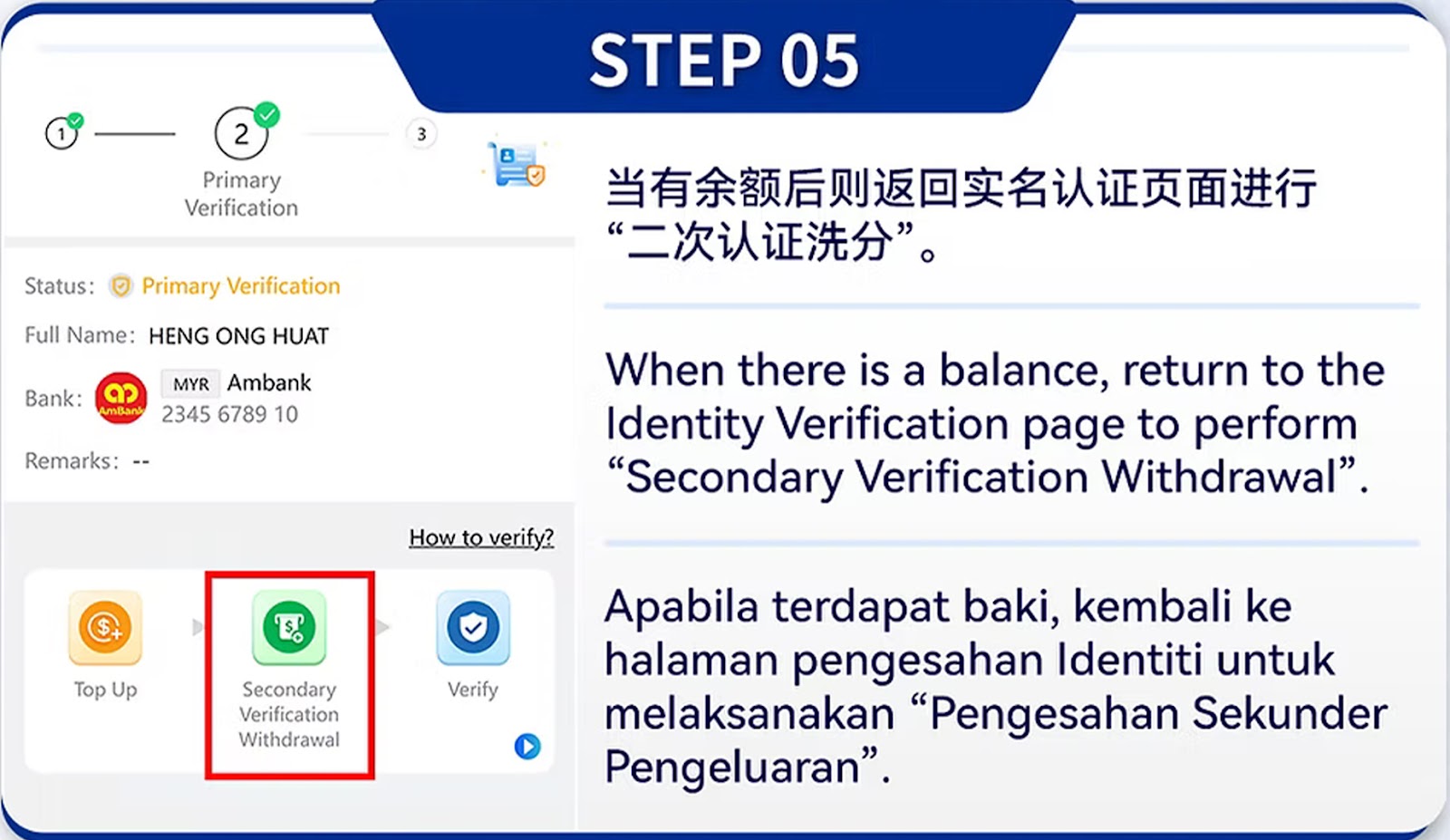
Go to the withdrawal page and choose your linked bank account. only accepts accounts matching your verified identity to ensure security.
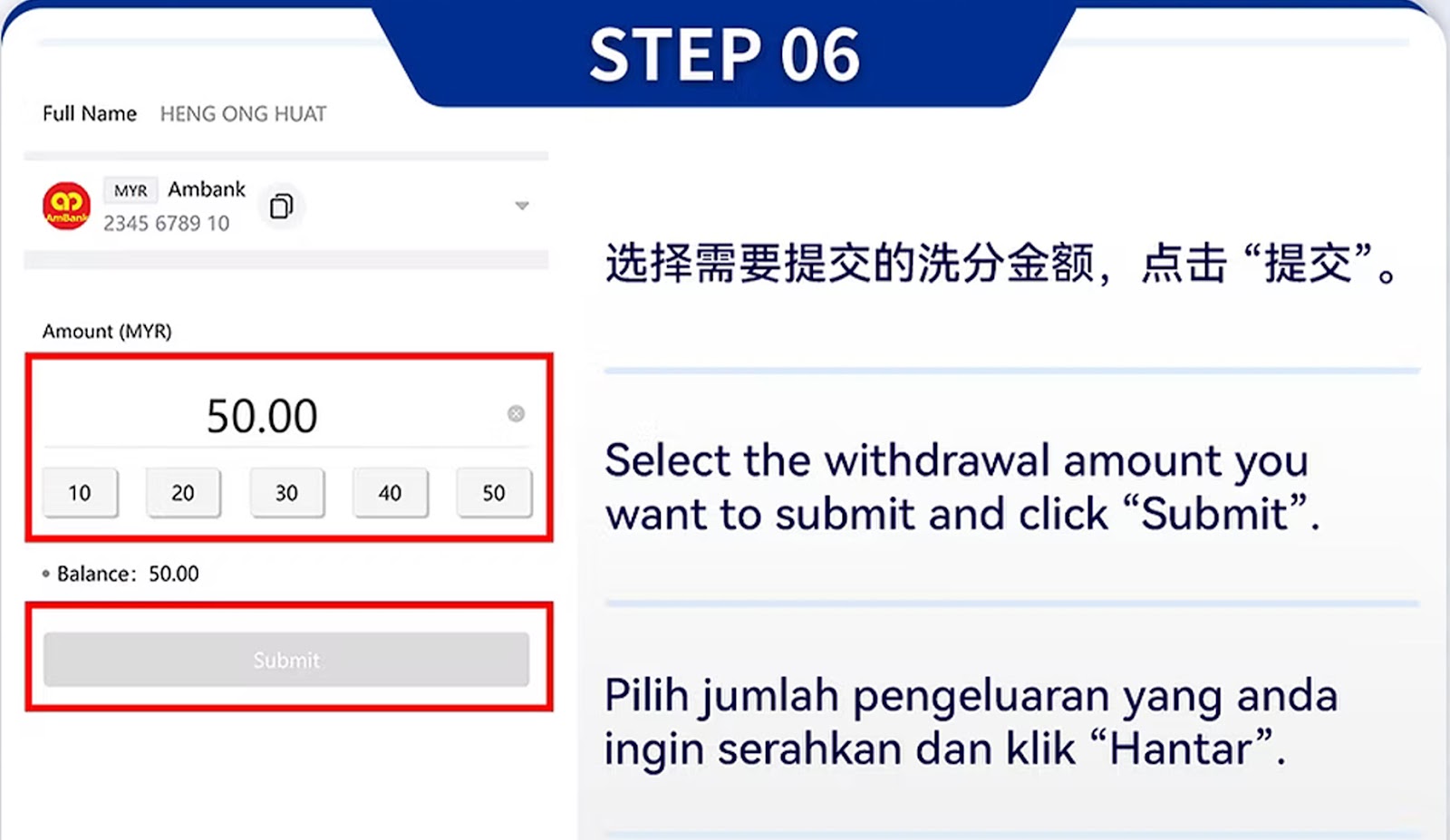
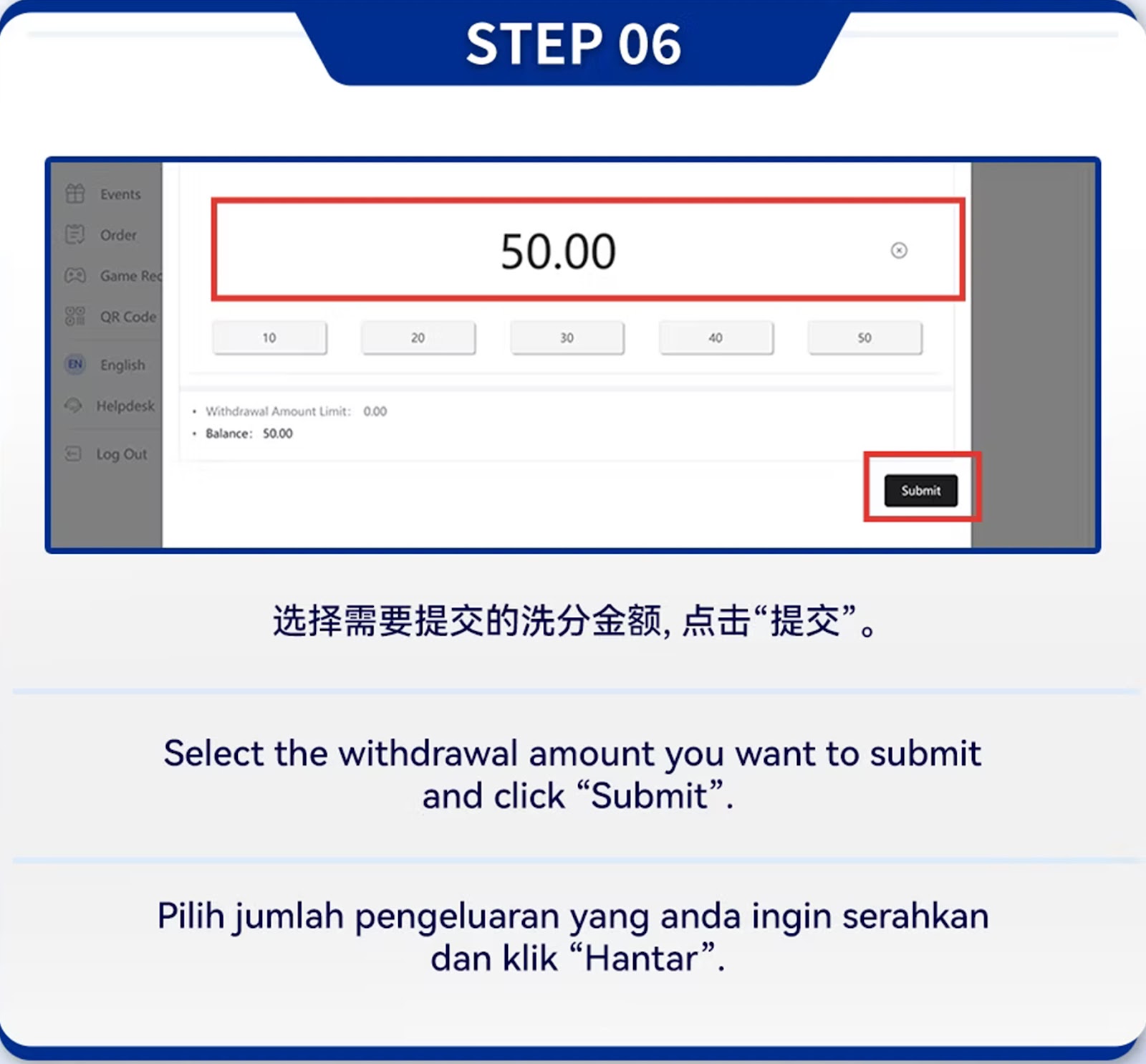
Input your preferred withdrawal amount. Quick-select buttons like 10, 20, 30, 40, and 50 make the process faster.
Review your bank name and account number carefully. will reject withdrawals if the information is incorrect.
After confirming, click "Submit" to proceed. The system will process your request instantly and update your withdrawal status.
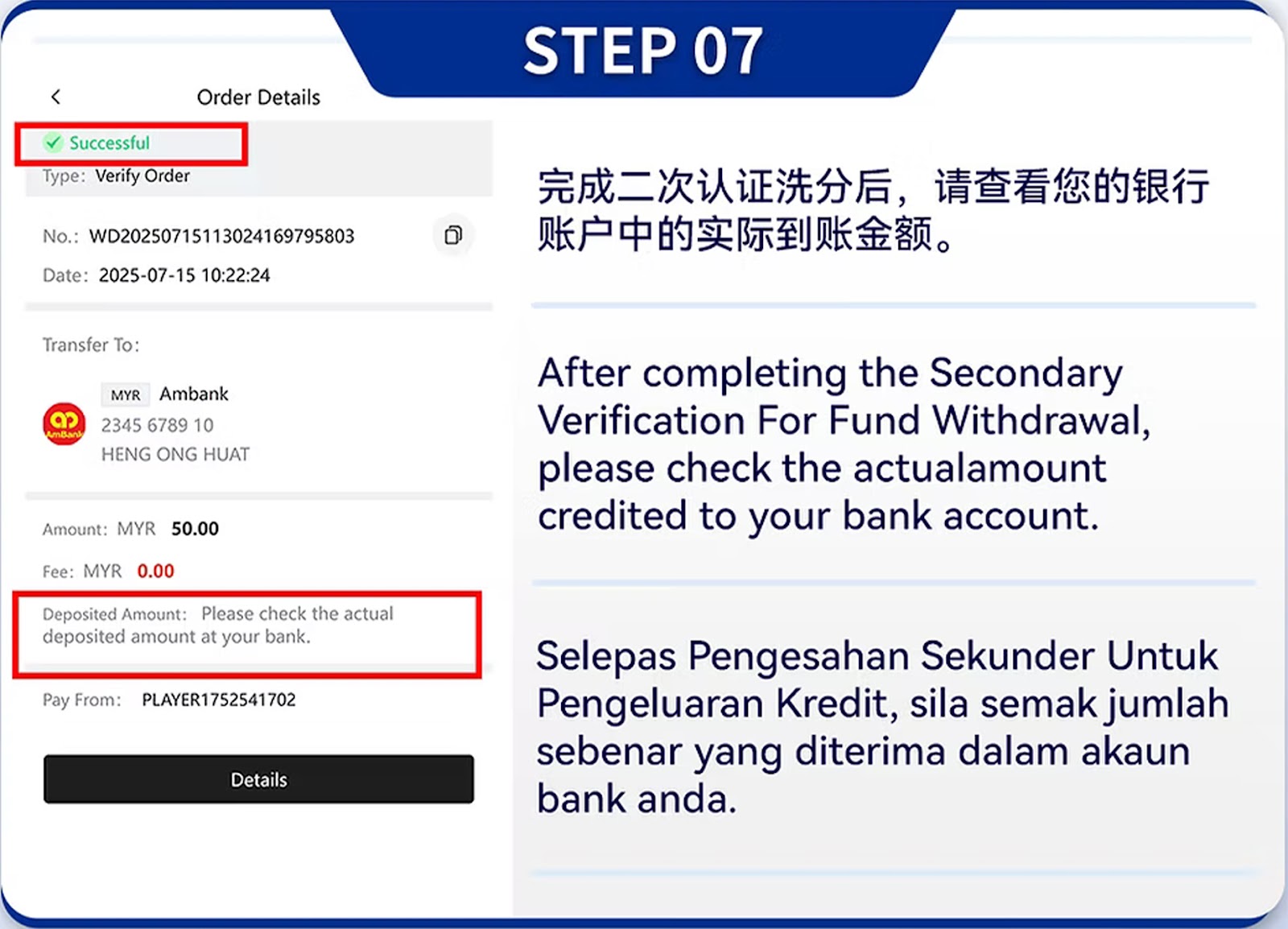
Withdrawal will be reviewed for security. Avoid refreshing or exiting the page to prevent interruptions.
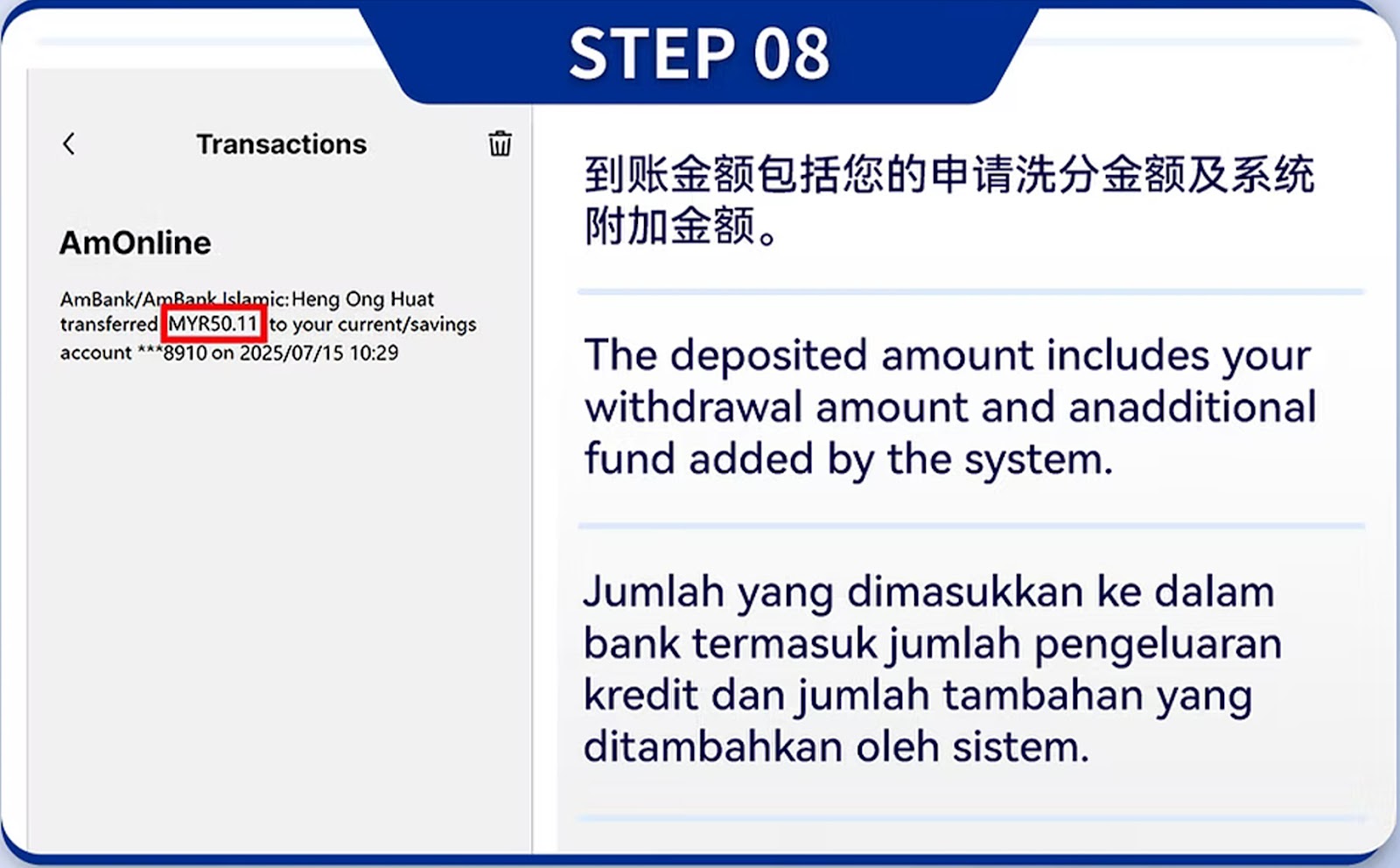
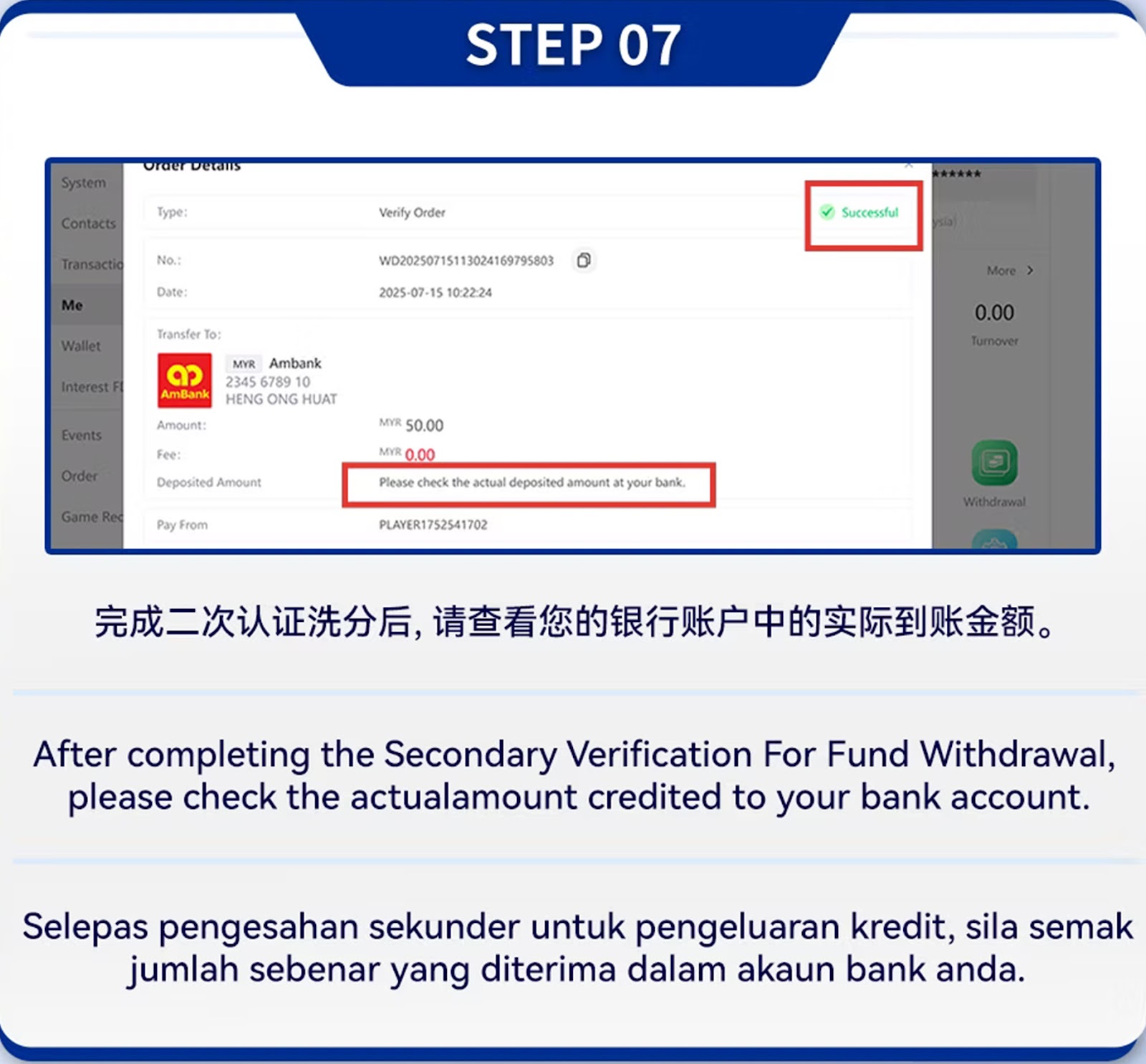
Once approved, funds will be transferred to your verified bank account safely.
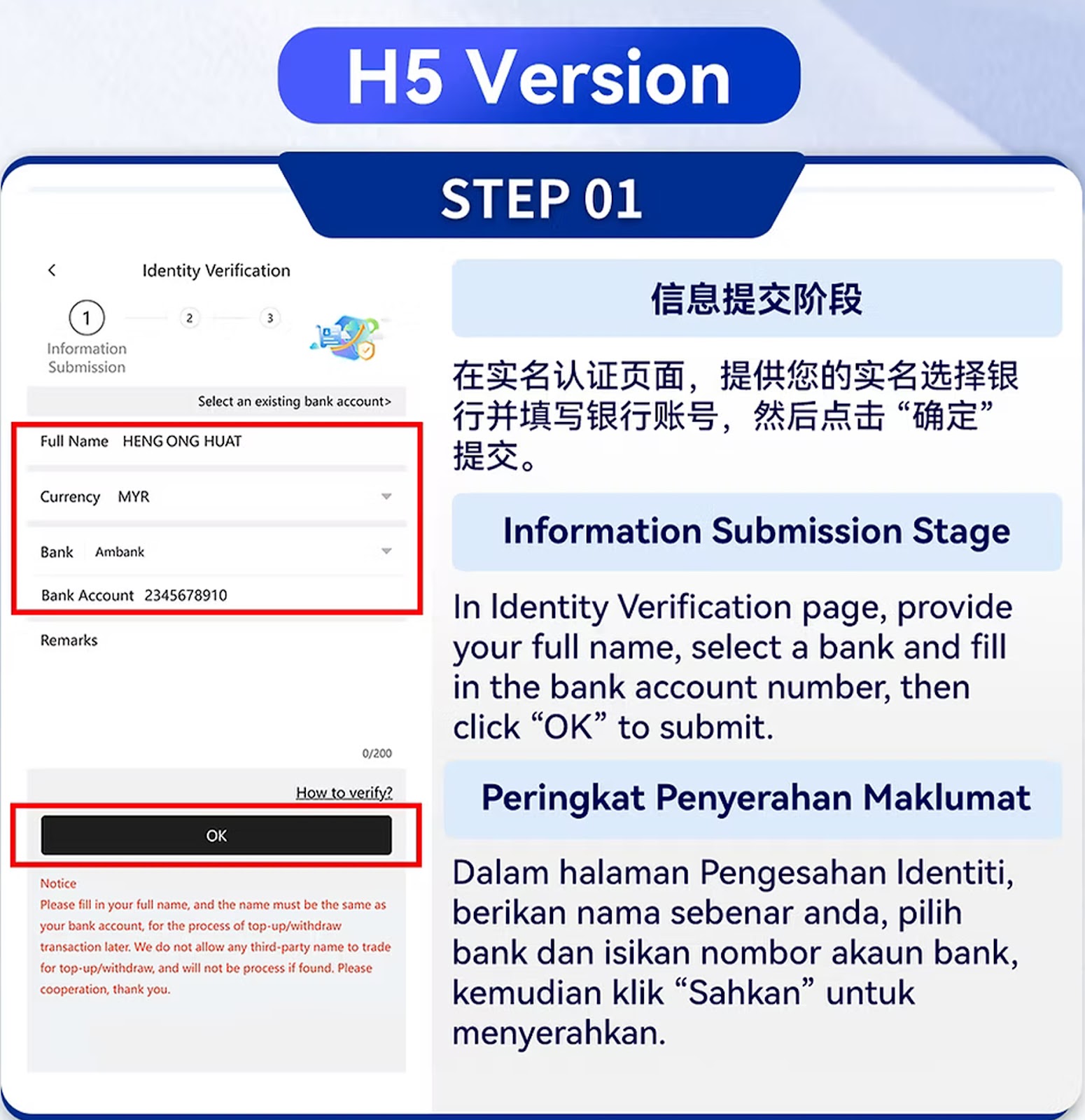
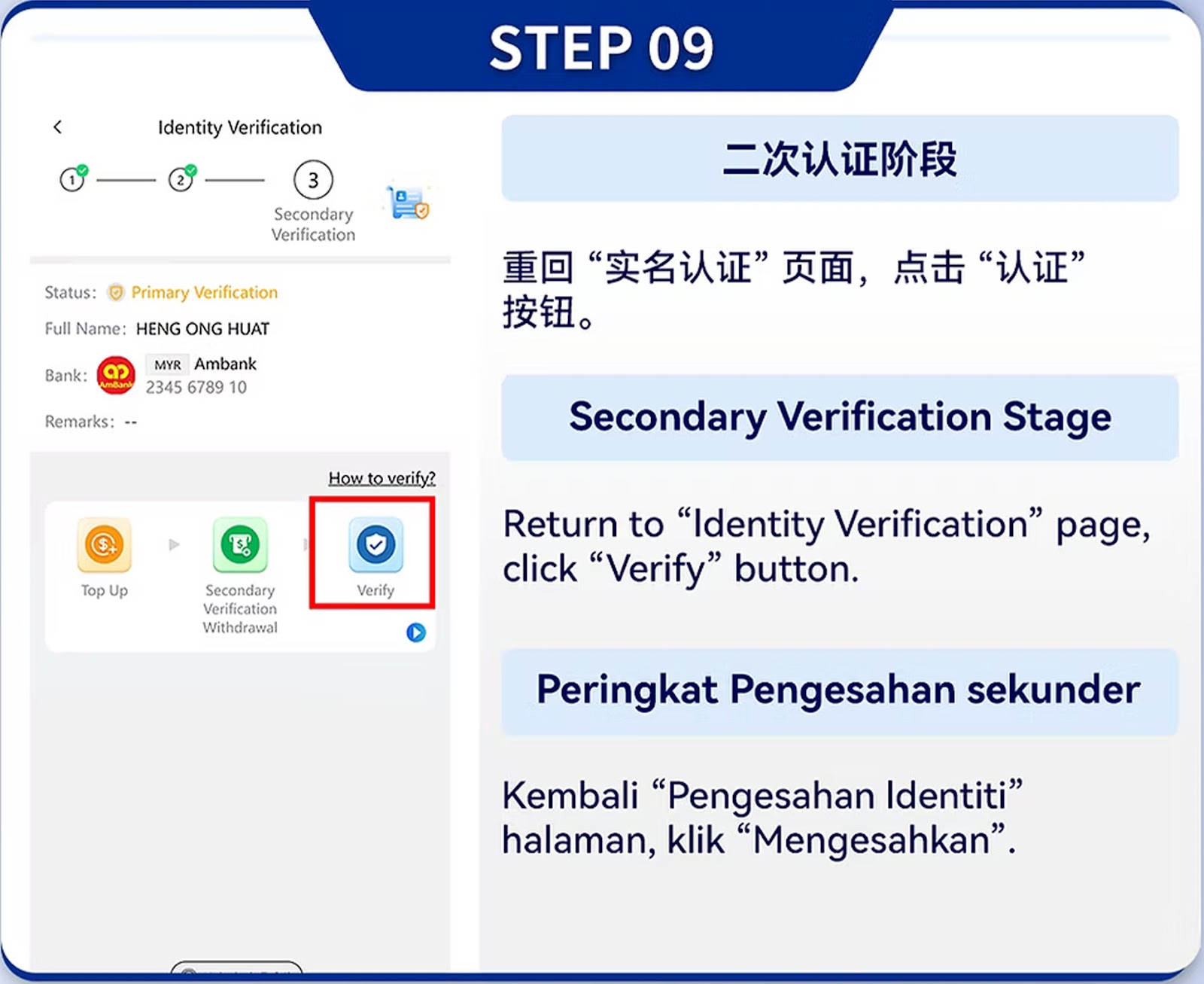
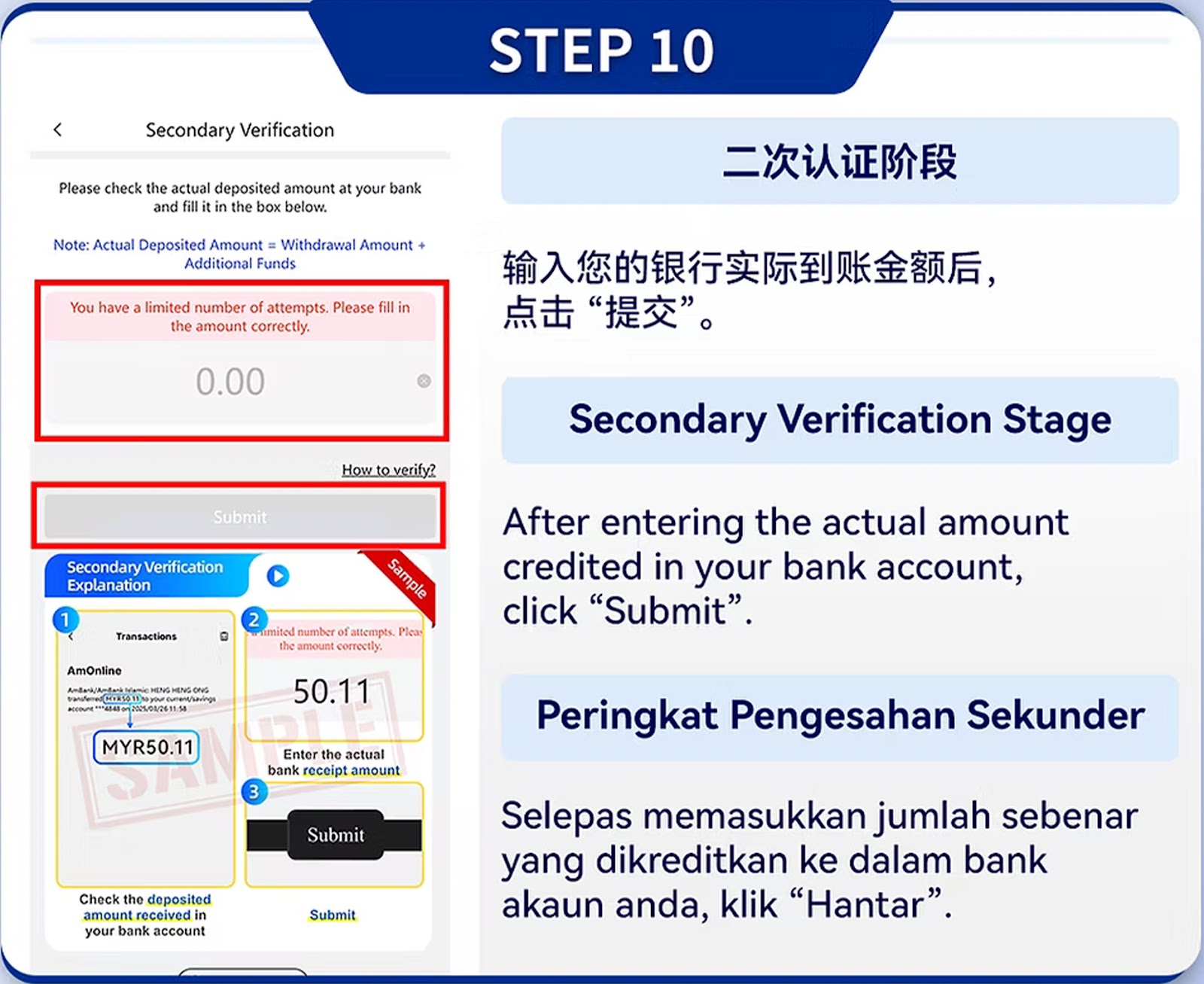
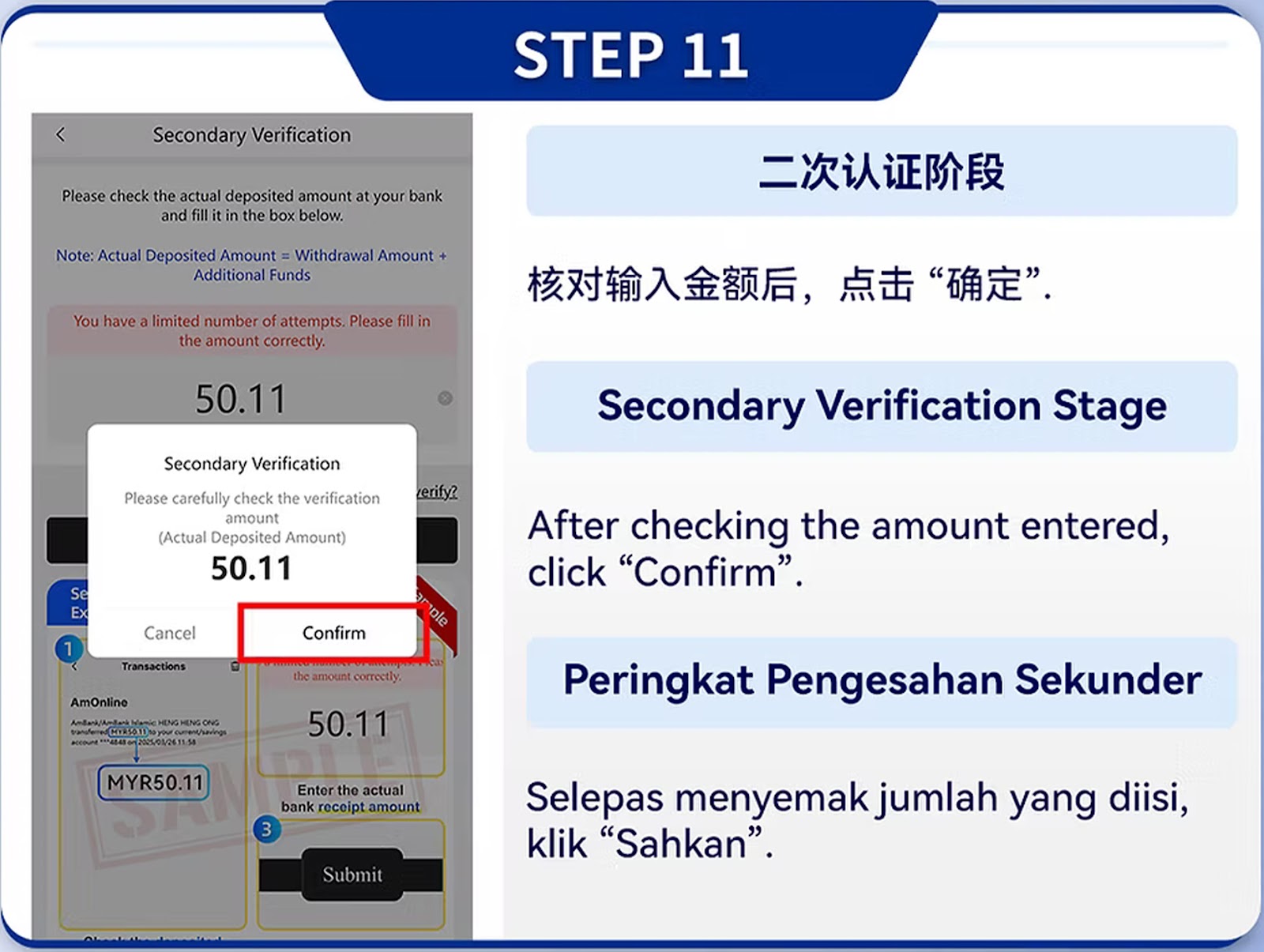
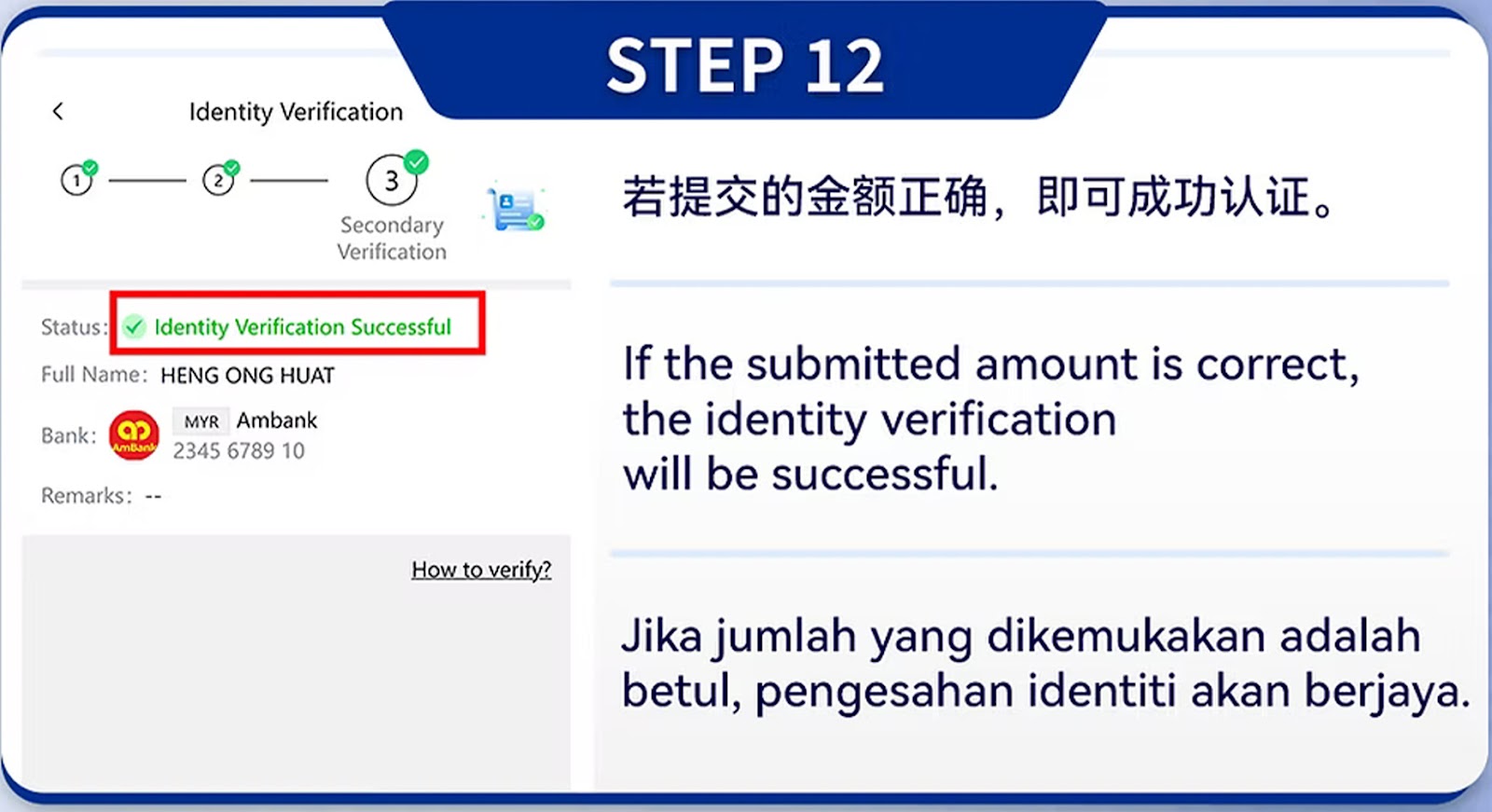
Enter your real full name and accurate personal details. Your name must match your bank account to withdraw successfully.
Select your bank from the list (OCBC, Maybank, CIMB, RHB, Public Bank, Bank Islam, HSBC, UOB, Standard Chartered, and more) and input your bank account number correctly.
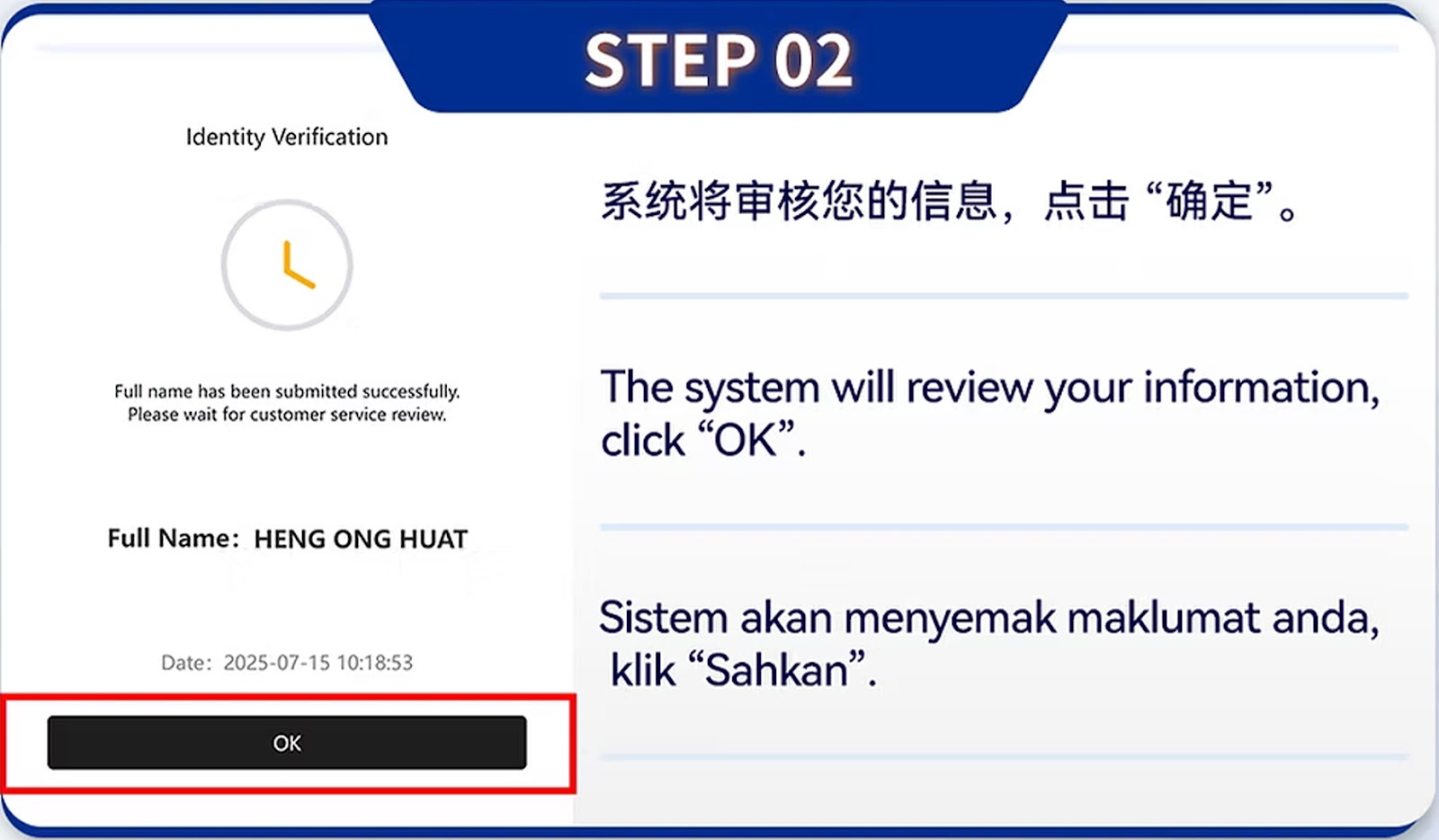
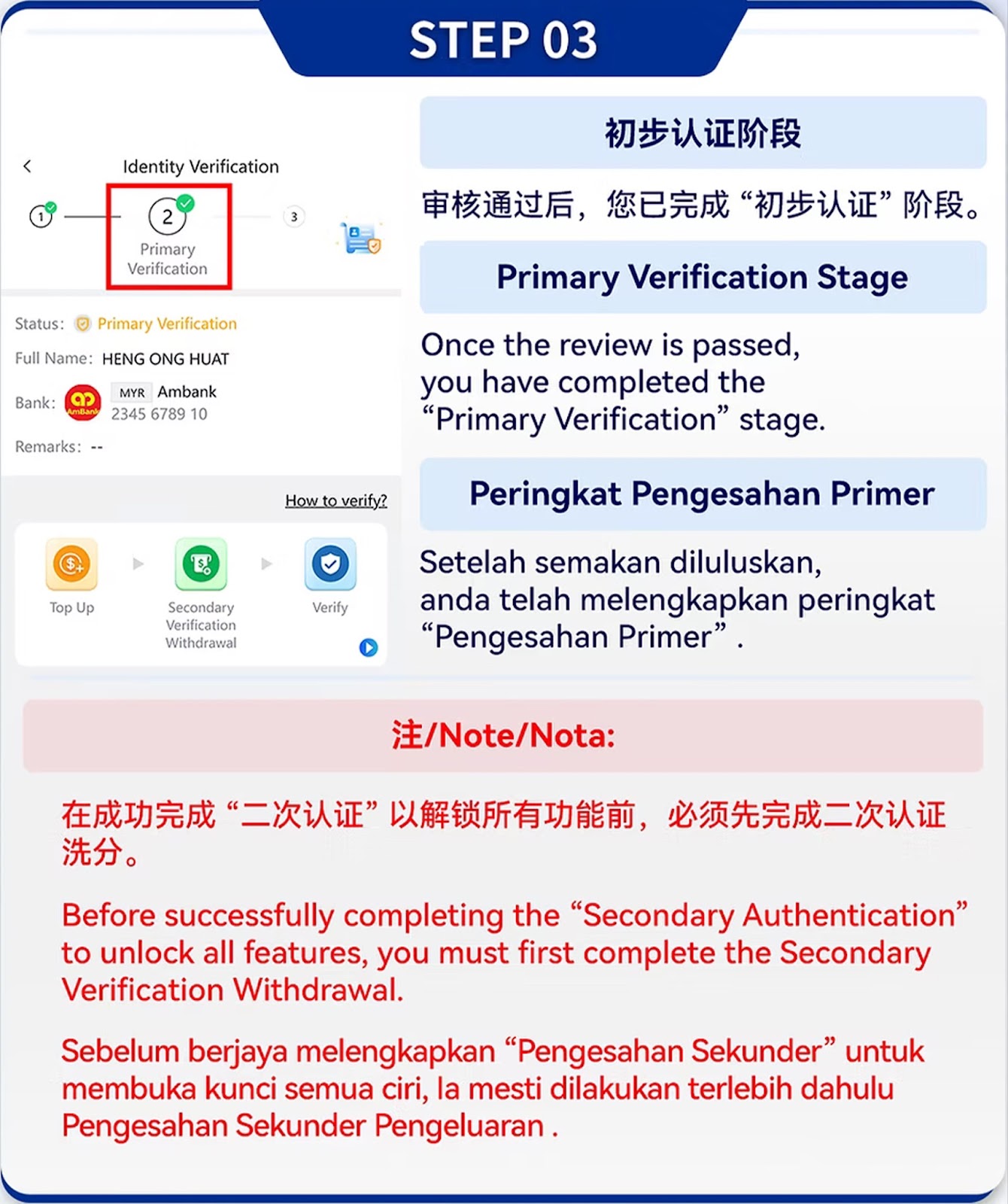
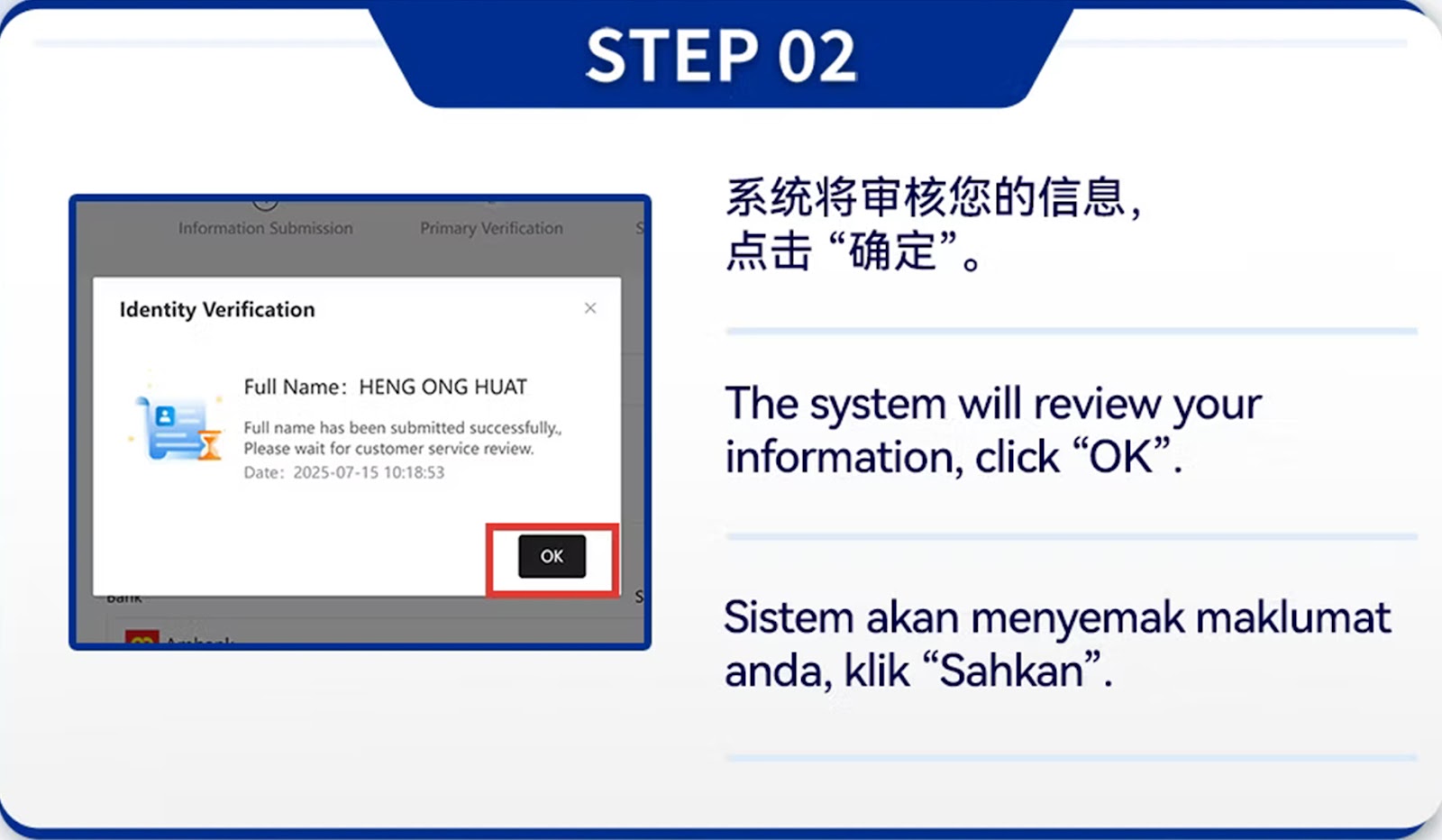
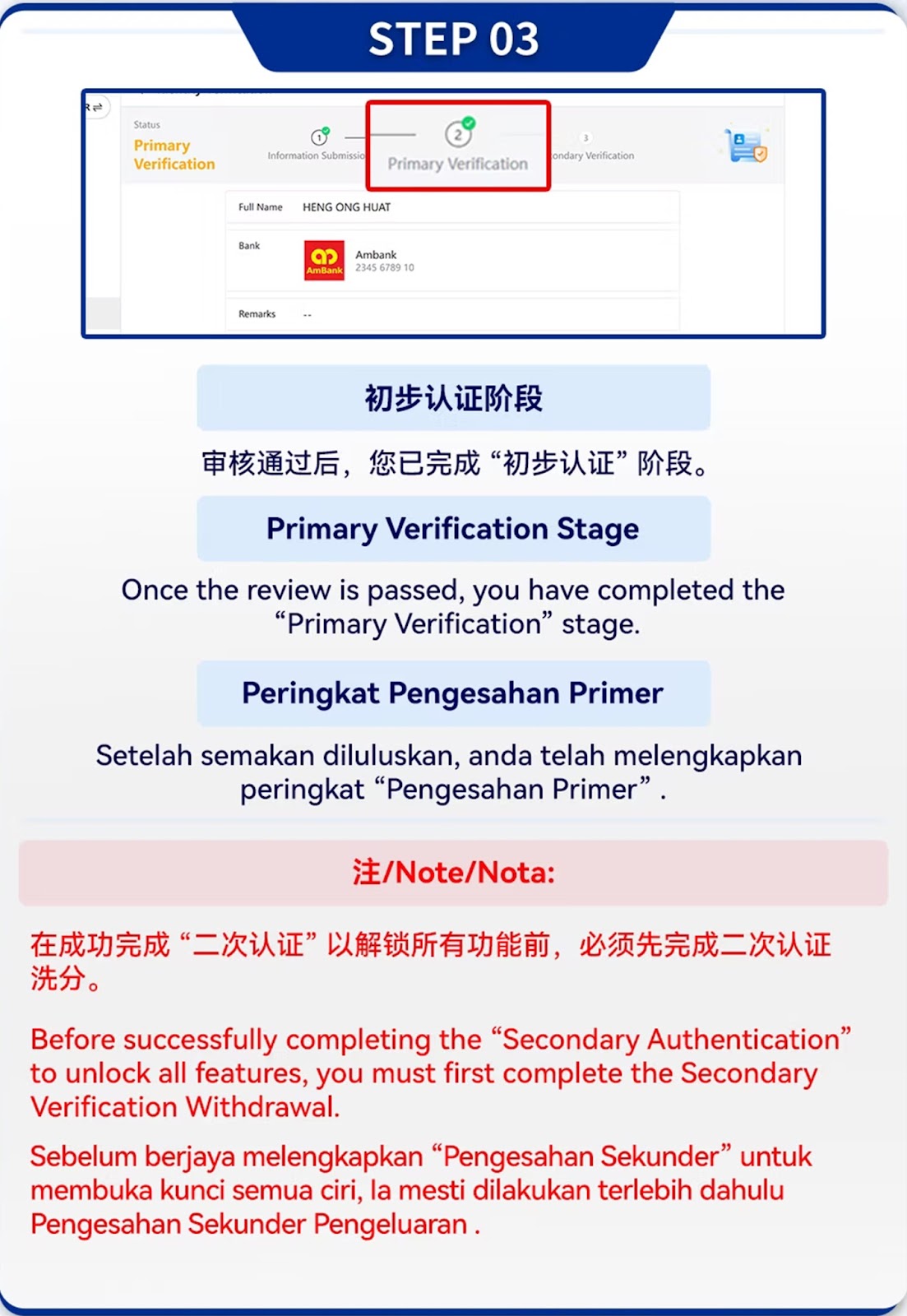
Submit your details and wait for the system to approve your Primary Verification.
The system may request additional documents or confirmation to ensure identity accuracy.
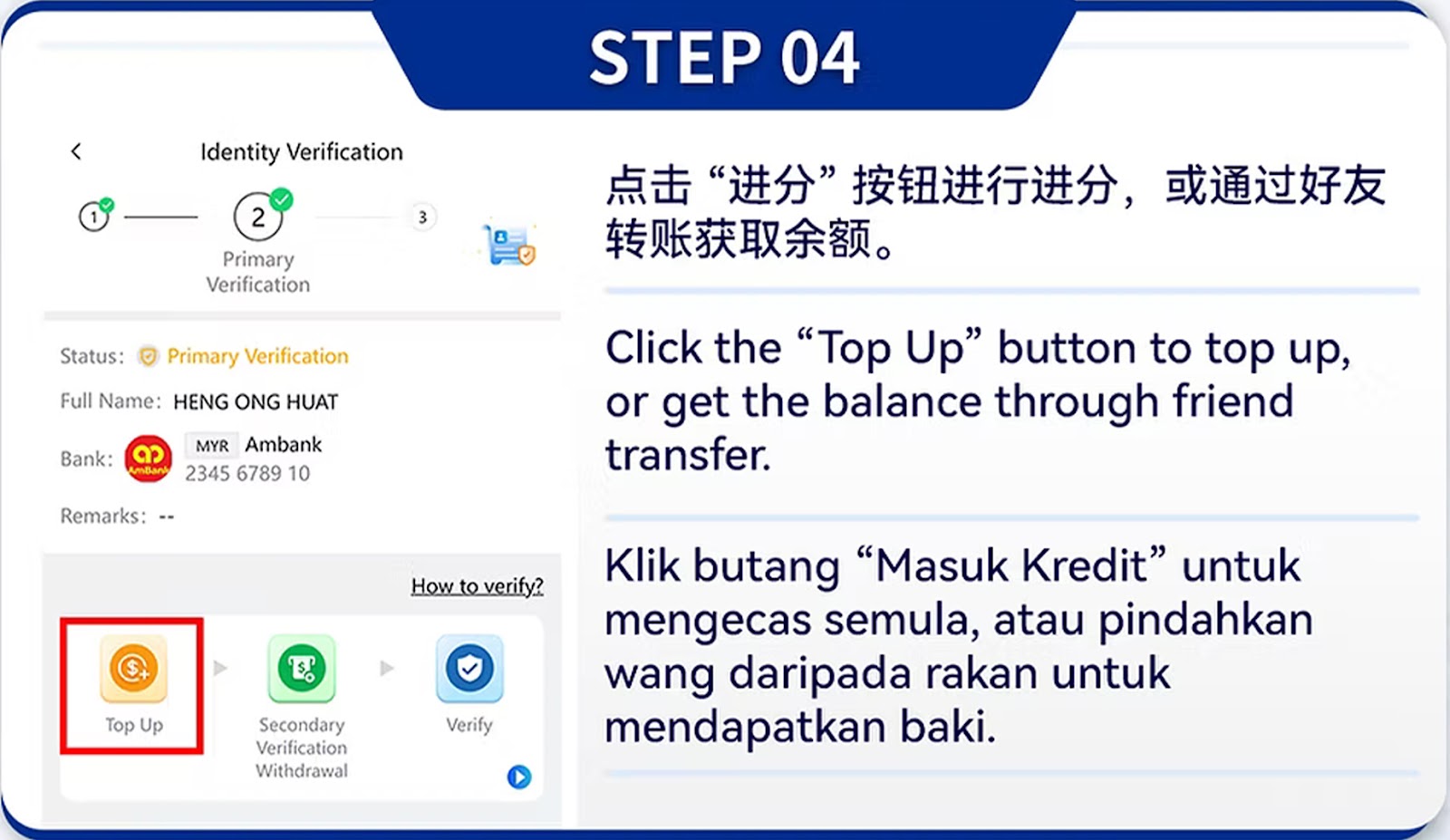
Once both verification stages are approved, your account is ready for Top Up and Withdraw.
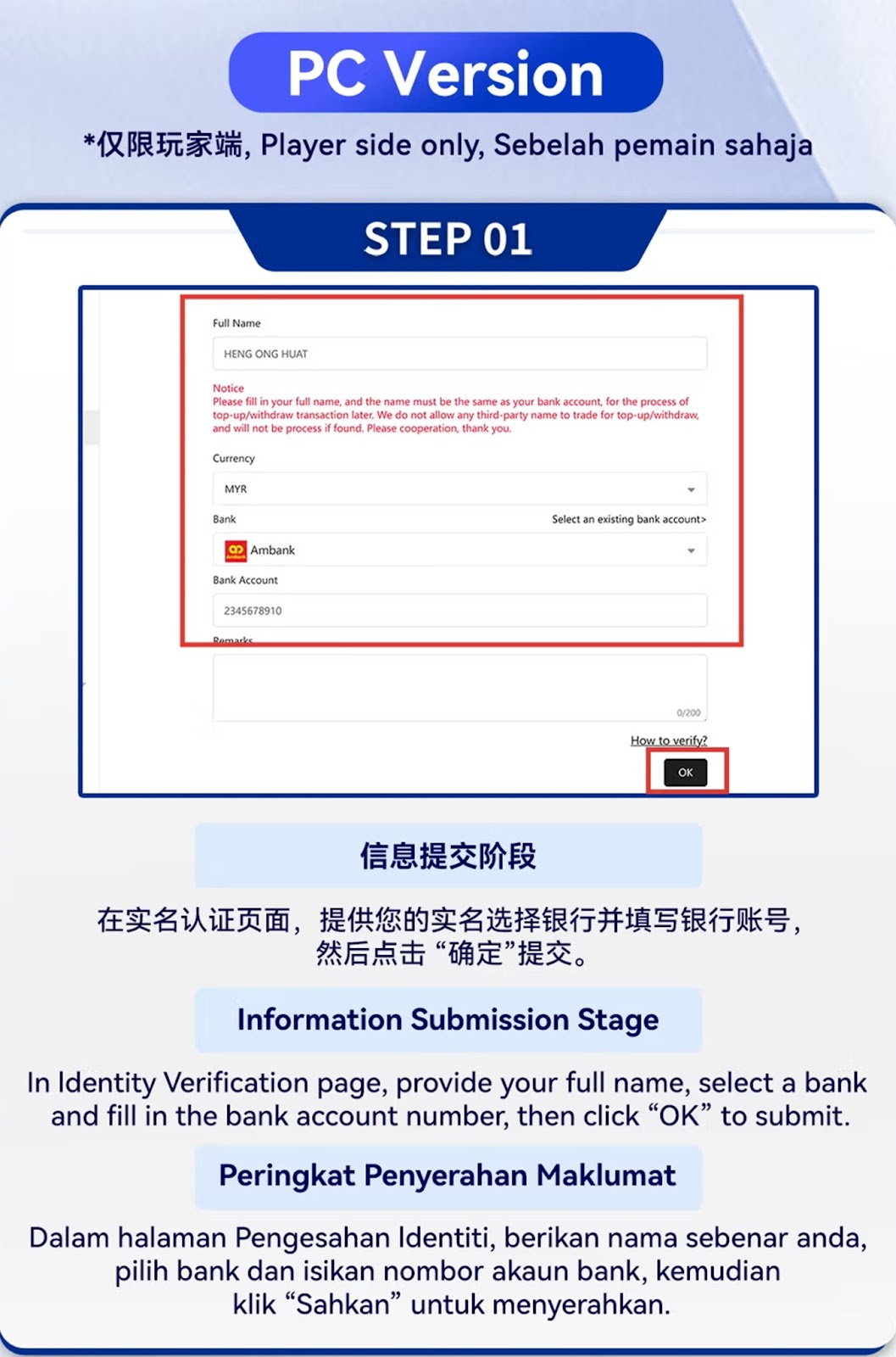
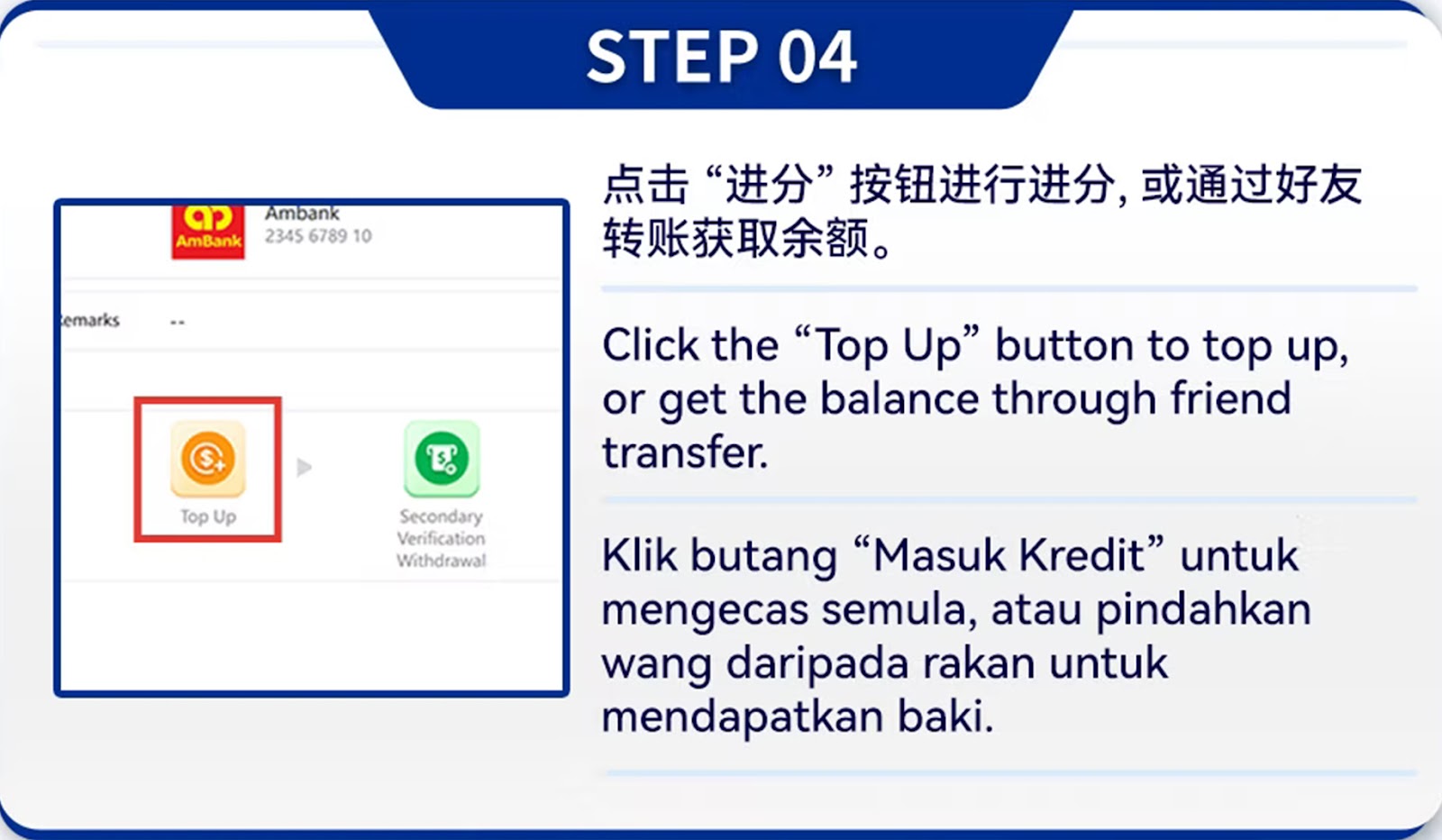
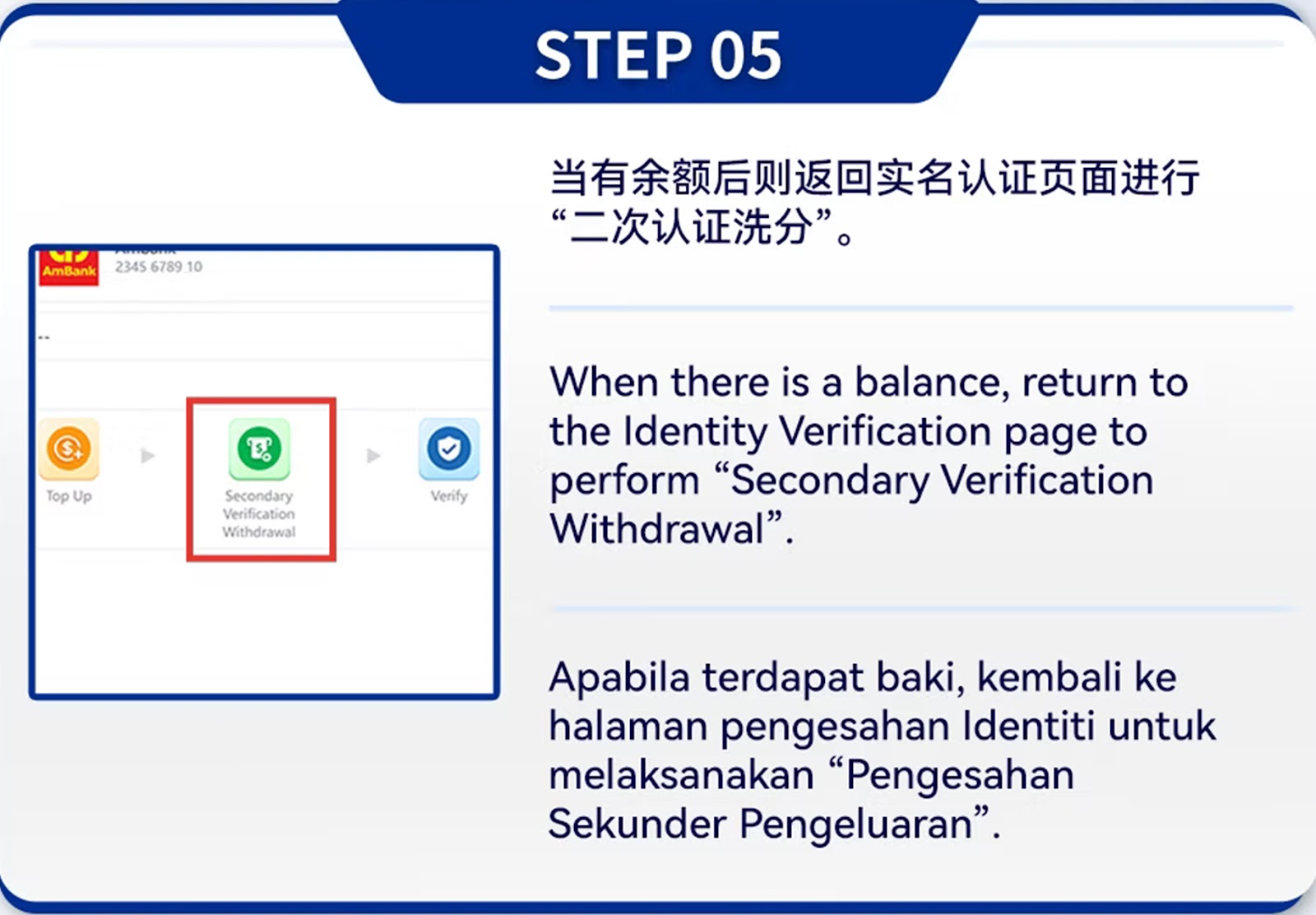
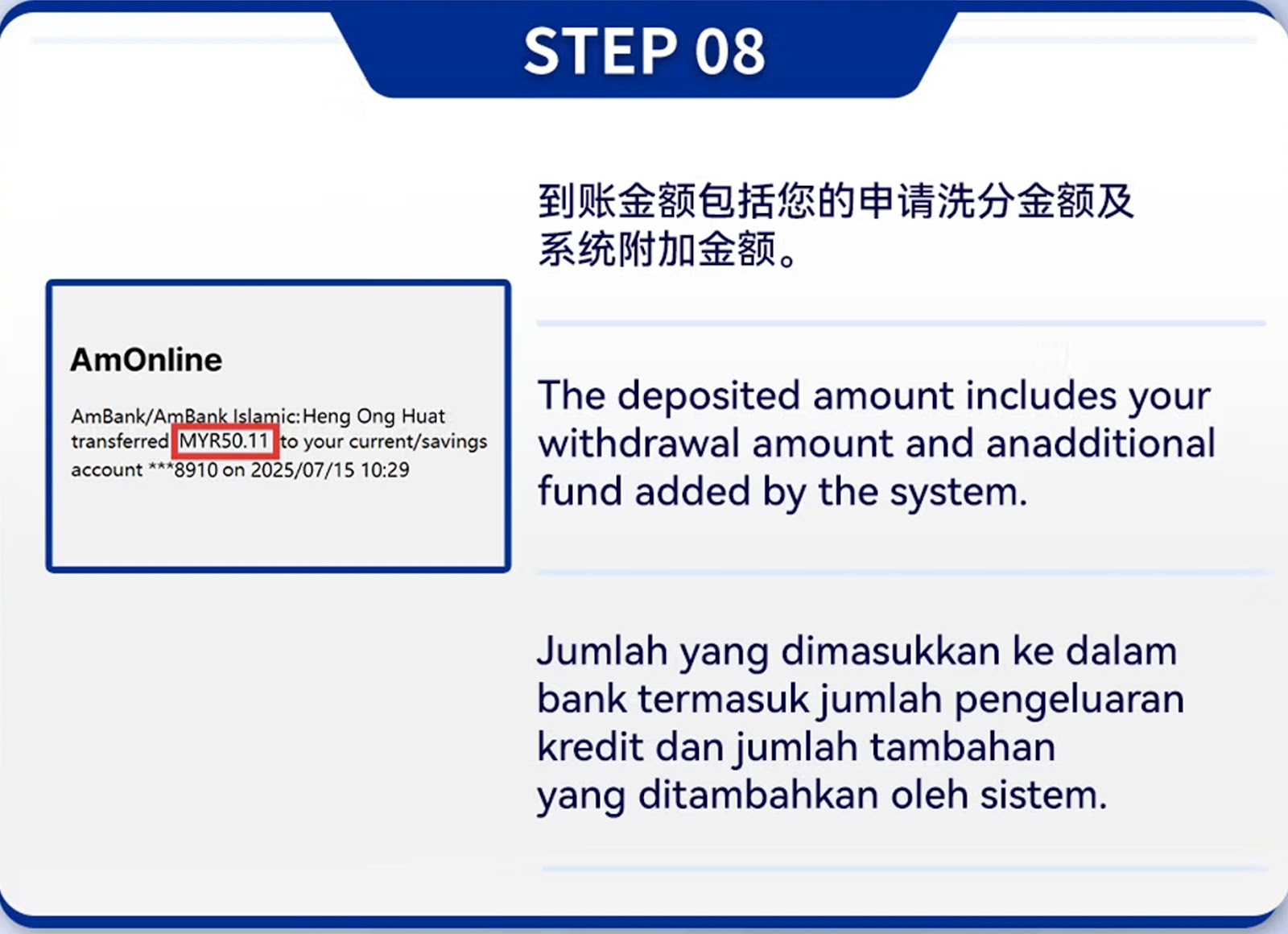
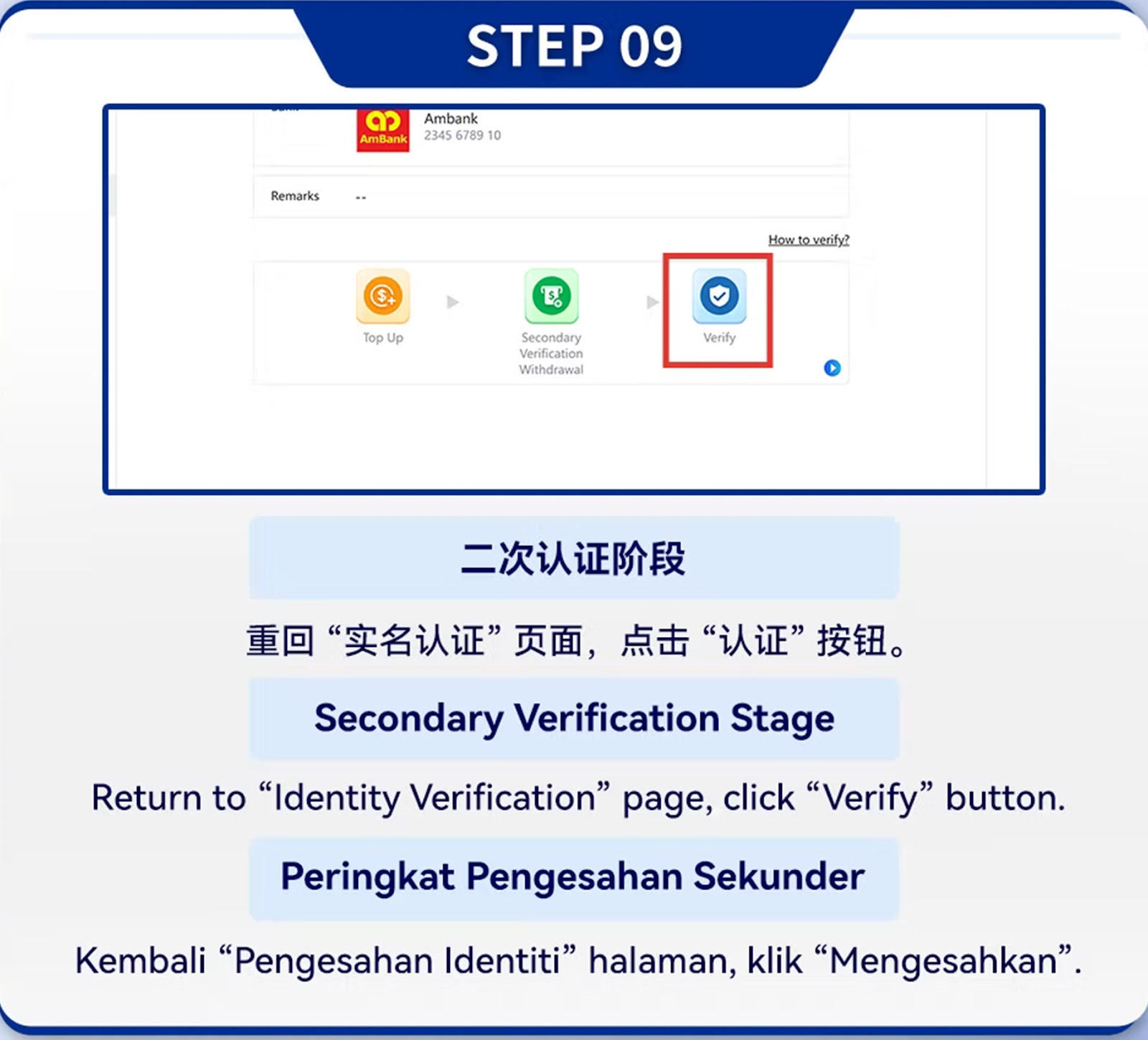
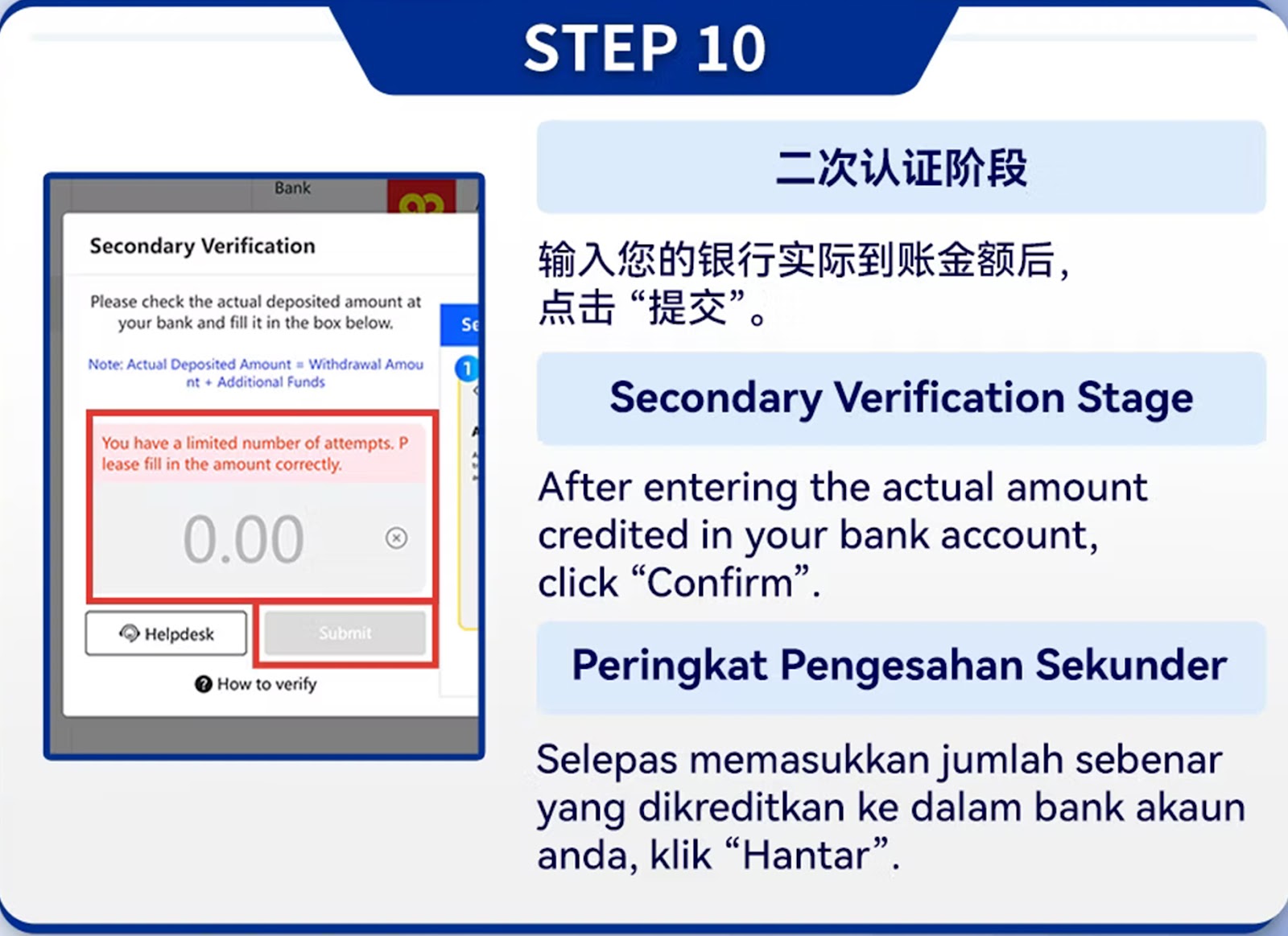
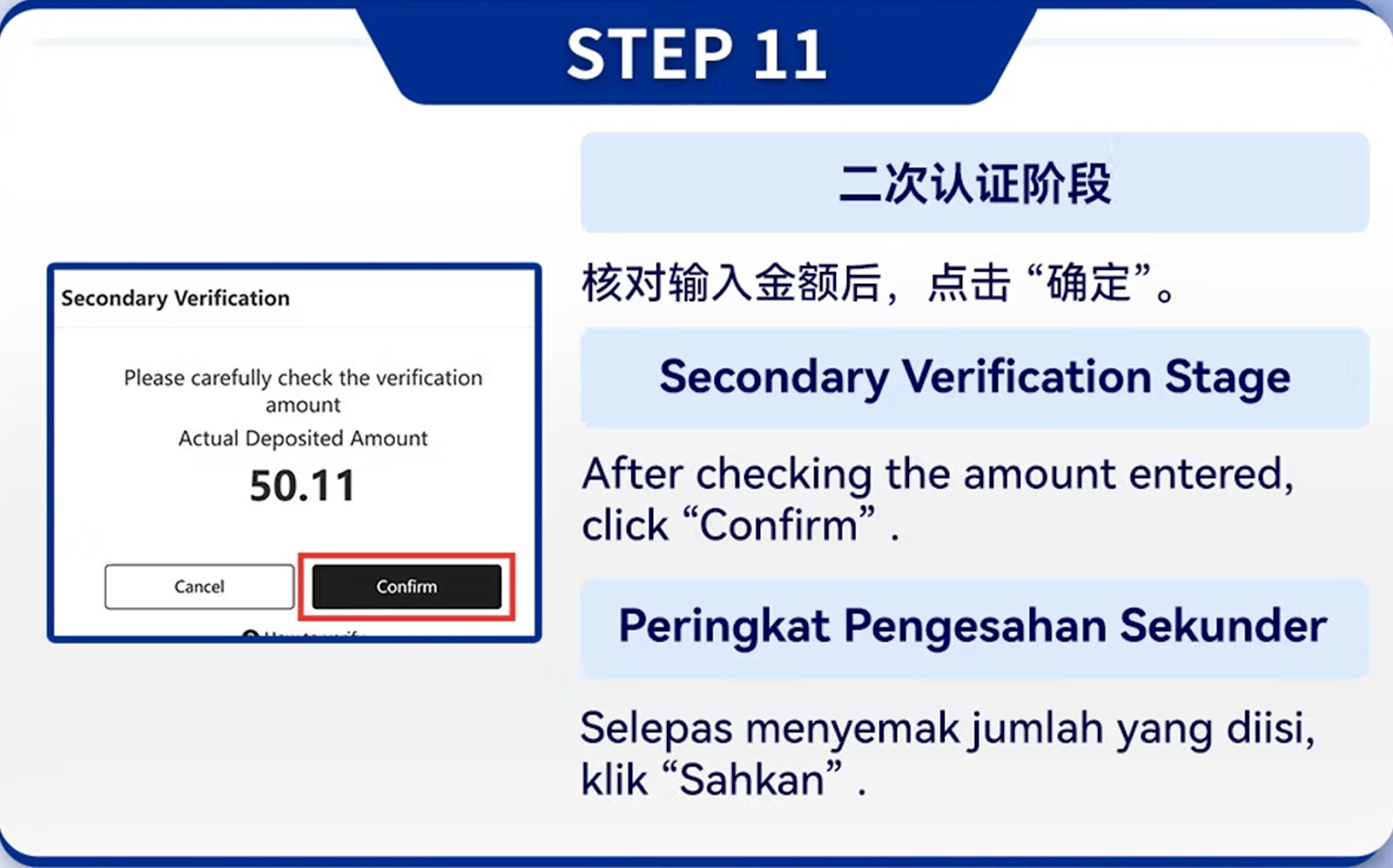
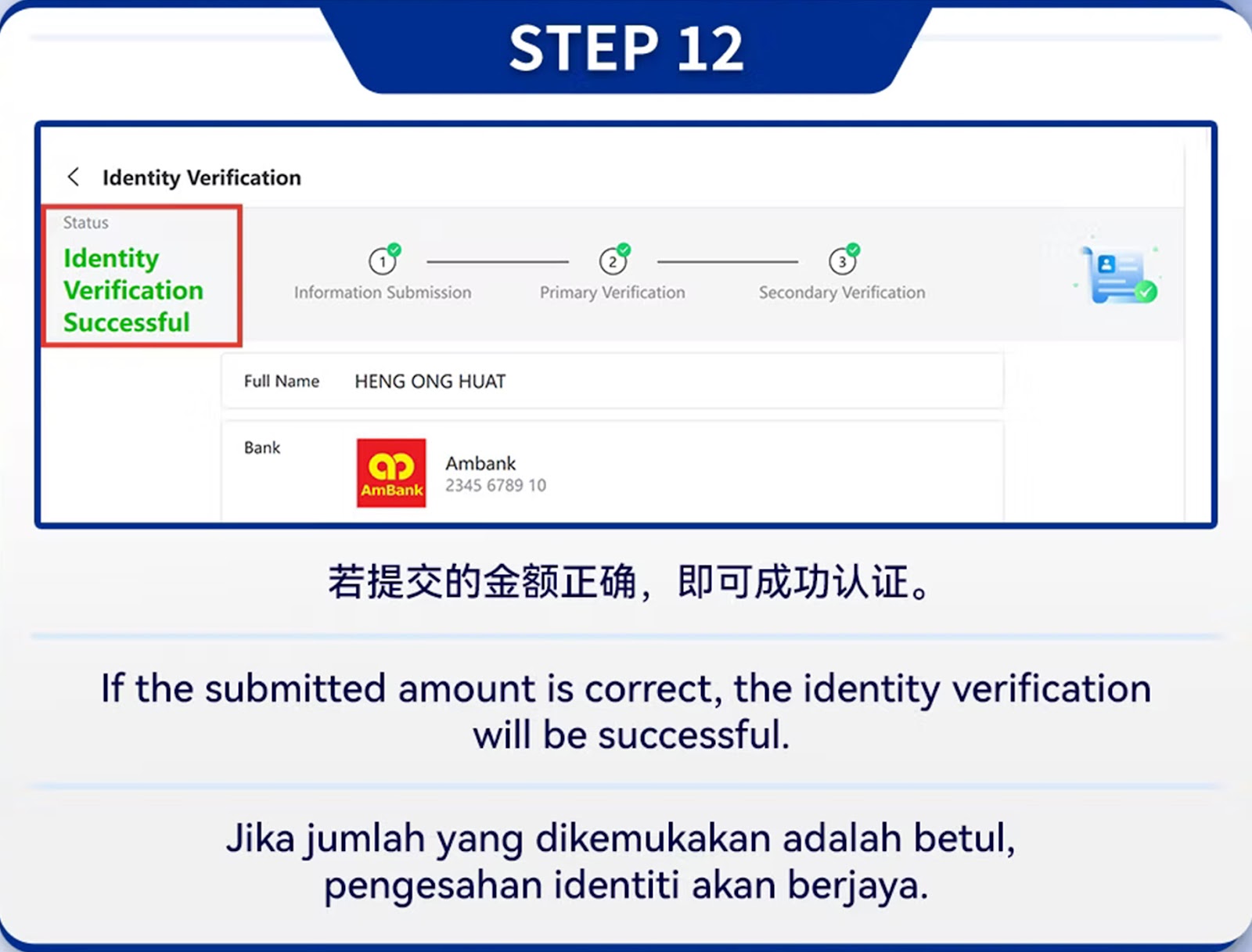
Fill in your full name and identification details exactly as shown on your bank account records.
Upload clear photos of your ID following ’s verification requirements.
The system checks your initial information for accuracy before allowing secondary verification.
Choose your bank and enter your bank account correctly. Third-party bank accounts are strictly not allowed.
Complete additional security checks requested by the system.
After full approval, your account is ready to perform withdrawals smoothly.
Enjoy fast, secure, and reliable withdrawals with full identity protection. Complete your verification and withdraw anytime with ease.

As a leading international online gaming company, STAR8 proudly features world-class game information experts, a helpful and experienced customer service team, and a professional marketing and state-of-the-art technical team. This collaborative effort ensures that our customers, with STAR8 at the forefront, can indulge in the ultimate gaming experience within a safe and secure environment. We prioritize the satisfaction and safety of our players through the combined expertise of our dedicated teams









 CN
CN
 EN
EN BM
BM